
Webinar: Seating Charts Add-on with Marcia
Using 5 New Features in Padlet with Marcia MENTORS
Marcia demonstrates 5 new features in Padlet. Turn a Padlet into a presentation with one click. Sign up for new features by clicking on “beta tester”. Follow a Padlet and get notifications when someone posts. Create a personalized ending of the Padlet link, with your brand website. Use the AI feature in Padlet to draw […]
Using and Creating Explore Boards with Marcia Mentors
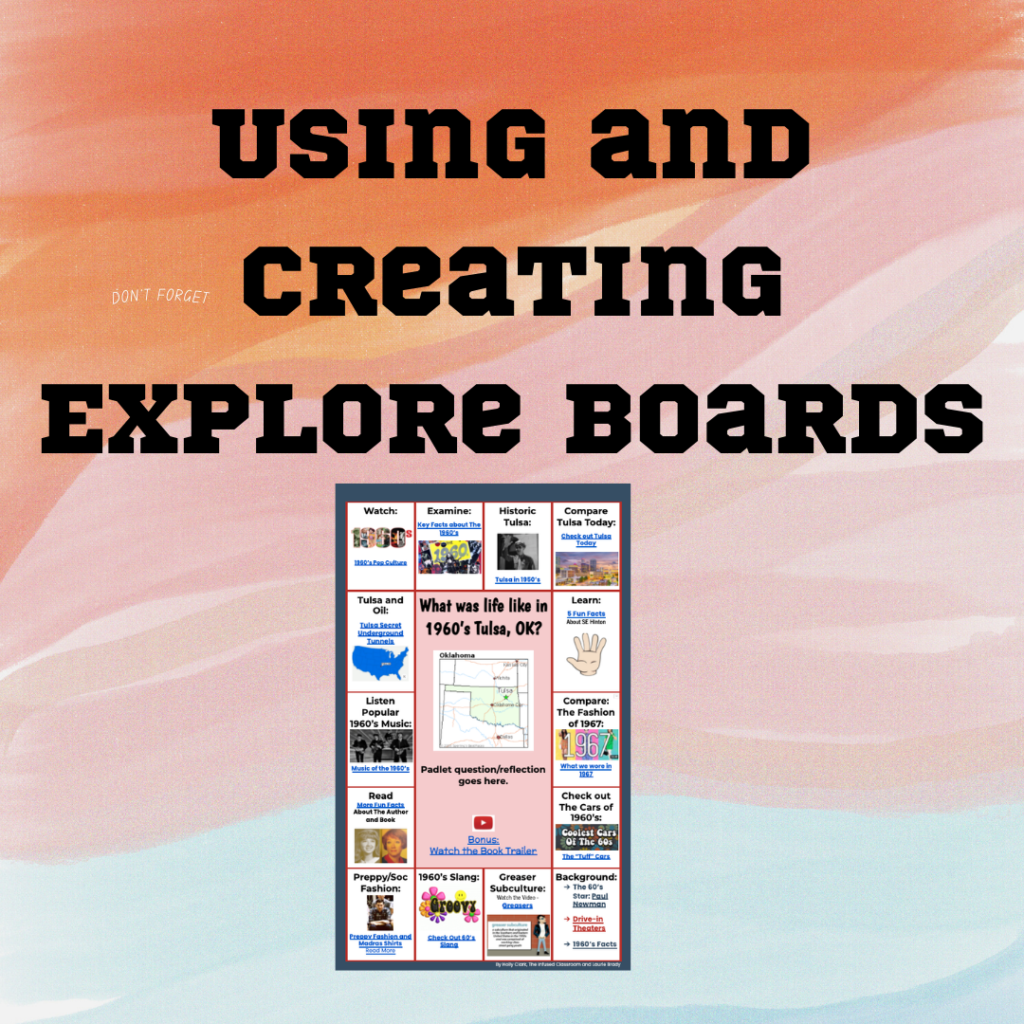
In this webinar, Marcia shares Explore Boards by Holly Clark @hollyclarkedu. Explore Boards have an essential question with a variety of media choices for students to explore, about a topic, book, concept, etc. Marcia shared some pre-made Explore Boards made by Holly Clark. Marcia also shared one she created on Universal Design for Learning. After […]
Using Quizizz to Engage All Learners with Marcia Mentors

Create a Quizizz account for FREE. Search for a specific topic to find pre-made lessons and quizzes. I recommend 10 questions or less for the most engagement and interest from students. Select a topic for FUN to help students learn the platform, such as the Olympic sport “curling”. This is a great way to get […]
Using “Make A Test Add-on” with Marcia Mentors
Make a Test in minutes for each student, that is unique. Begin by installing, “Make A Test” Add-on by Alice Keeler. Marcia starts with opening a new spreadsheet, sheets.new, and then going to “extensions” > “add-ons”>select ‘Make a Test’, and show the side bar. Click on the premium button and add the passcode. Click on […]
Getting Started with CANVA Docs with Marcia MENTORS
In this webinar Marcia explores the new platform of CANVA Docs. Go to Canva.com and get started. Type in “docs” in the search bar to get started with a blank doc. The plus sign will allow you to add a design, heading, video, table, checklist, emojis, a timer and more. CANVA docs seems similar to […]
Using An “Explore Board” for UDL
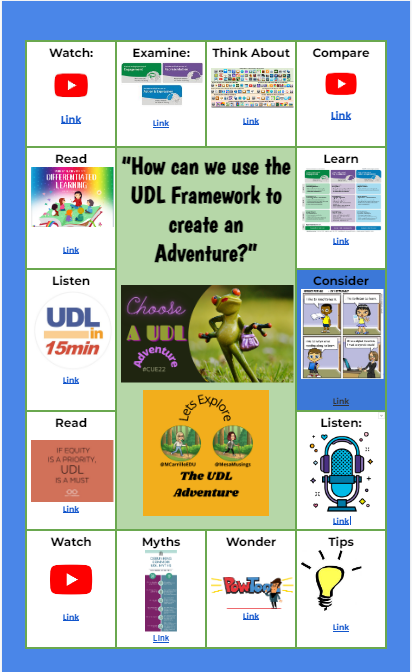
Universal Design For Learning, is a framework to improve teaching and learning by planning for all types of learners, with a focus on equity and student centered learning. I was first introduced to ‘Explore Boards’ from Holly Clark, with the Infused Classroom. Here is her blog with a complete explanation and a sample board for […]
Communicating With Students-Text, Email, or Phone Call?
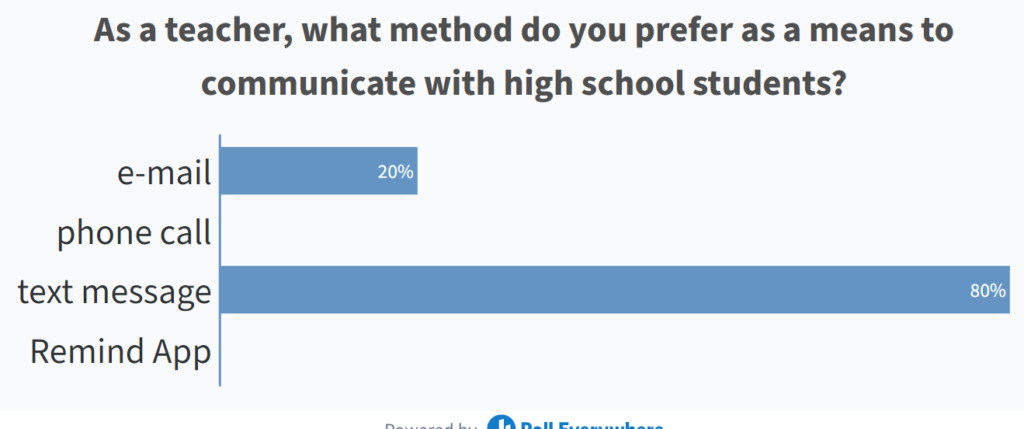
I recently was in a WASC meeting in which my colleagues and I were discussing how we can improve our communication with students, increase engagement and improve the culture of the school. Of course all of these goals are inter-related and rely heavily on the interactions between the teacher and students. Students in grades 9-12 […]
Hyperlink Slides Choice Board Add-On
Alice and Marcia discussed how to use Hyperlink Slides Choice Board Add-on. Begin by installing this Add-on here: Student choice is one of the most engaging strategies that teachers can use. Any type of choice gives students the feeling of being in some control of their learning. Since Halloween is approaching, we created a choice […]
MM: Supporting Tired Teachers- 3 Tips
Marcia Mentors helps you coach teachers who are REALLY TIRED and do not have the energy to engage in more training.