
Google Classroom Feedback Loops
Feedback loops are very effective for student learning!! But they can be difficult to implement. One of my favorite ways to help EVERY student take a step is to use the Private Comments in Google Classroom. https://youtu.be/jjDPRz83WSE In this member only webinar I share how I ask students to respond to a prompt IN THE […]
Setting Up Google Classroom
Get started setting up your Google Classroom!
Google Classroom: Tutorial Reuse GC Add-on (Part 1)
If you are a Google Classroom user I have created an unofficial Add-on to help you better manage your class. Make a Copy of the Add-on To use the Add-on you need to make a copy of my spreadsheet. The code is “stapled” to the spreadsheet. You can only access it from the copy of […]
Make a Topic Per Student – Google Classroom
If you use Google Classroom this add-on is a must have. One feature is to create a topic per student. Here is how to do it!
Webinar: Roster Extras Do Fun Things
Coded by Alice, roster extras helps you do fun things with your roster.
Webinar: Wrapping Up Google Classroom
Please create a NEW Google Classroom class at least at the semester. In this webinar we will look at some ways to wrap up your Google Classroom classes. Google Slides Recording
Webinar: Using a Rubric in Google Classroom
How to use my Rubric Templates in Google Classroom. It is much easier to use spreadsheets than to make them in Google Classroom.
Scoring Guide RUBRICS in Google Classroom
So much faster and easier to give students points in Google Classroom when you use a scoring guide!!
Webinar: Better Google Classroom Progress Reports
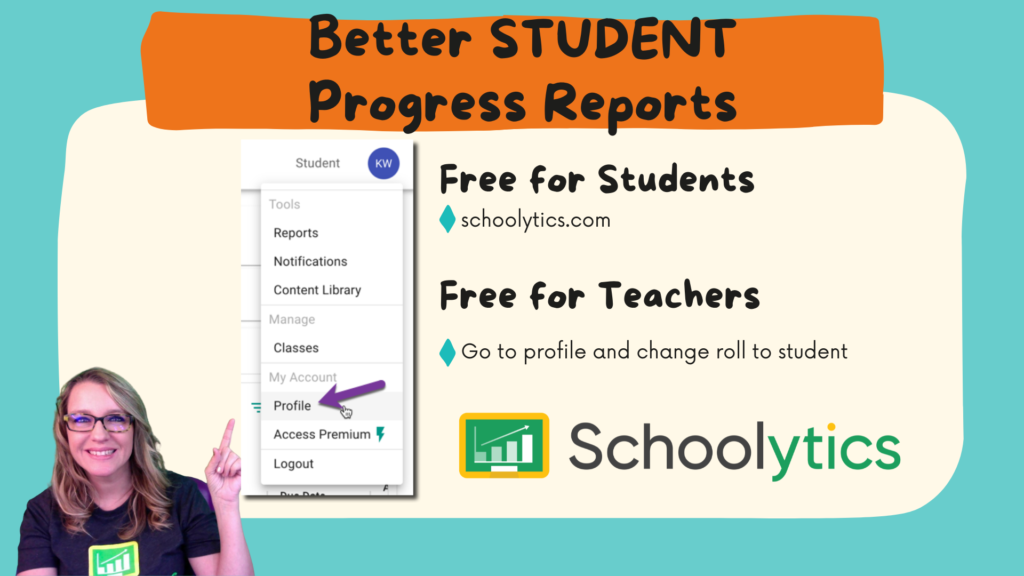
Celebrate student achievements with better progress reports in Google Classroom by using schoolytics.com
WORKSHOP: Better Progress Reports
ONLINE WORKSHOP: This is for anyone using Google Apps. This is a variety of beginner to advanced tips. This is also an excellent opportunity to experience Google Classroom as a student.