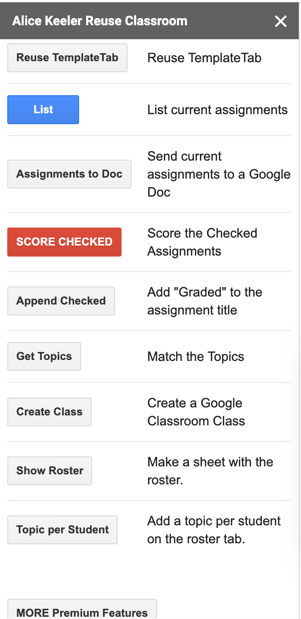
A premium feature of http://alicekeeler.com/reusegc is the ability to create a topic in Google Classroom per student on the roster. This allows you to differentiate assignments for students.
I have a lot of features to help you better manage your Google Classrooms. FOR EACH class you teach with Google Classroom be sure to make a copy of my add-on.
Steps
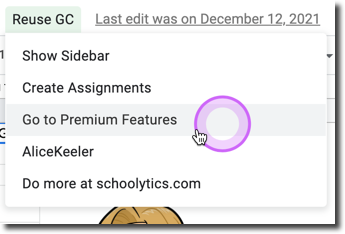
After setting up the Add-on use the menu to "Go to premium features."
Sidebar
From the premium sidebar click on "Show Roster" this is important if you want to edit or remove students. The topics are created from the show roster list. THEN click on "Topic Per Student."