

Why have all your Google Forms go to different spreadsheets when they can be in the SAME spreadsheet. Let me talk you into this! We will practice linking multiple Forms to ONE spreadsheet (at least for the unit) so all the student results are easy to find!
Responses Tab
In ANY Google Form go to the Responses tab. Find the green Sheets icon.

INSTEAD of linking to a new spreadsheet... ALWAYS USE THE SAME ONE!
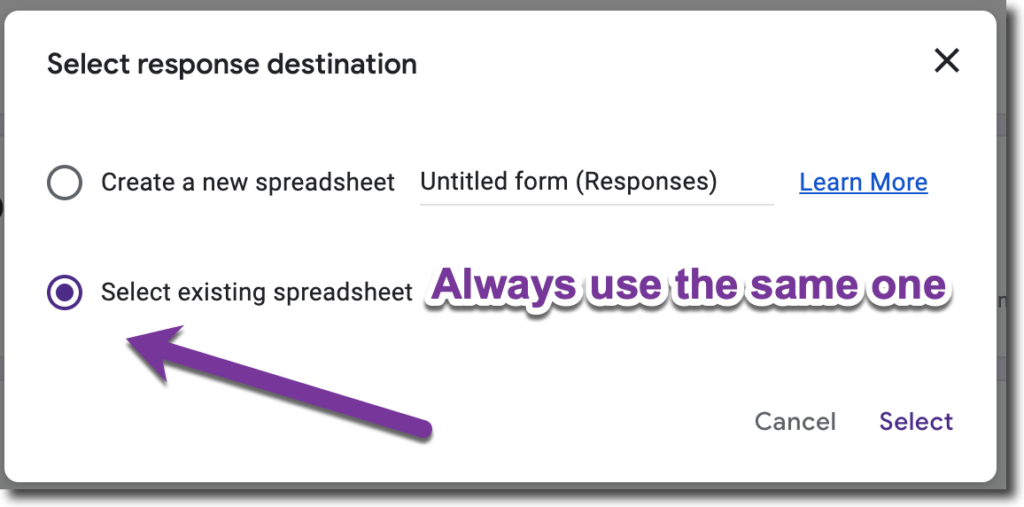
You do not need a different Google Sheets spreadsheet per Form. You can link them all to the SAME ONE!!
Each Form - Own Tab
The results from the multiple Forms do NOT merge. Each Form has it's own tab in the spreadsheet.
You can rename the tab if you want!
For each tab in the spreadsheet, use the TOOLS MENU to manage the Form that links. to that tab.
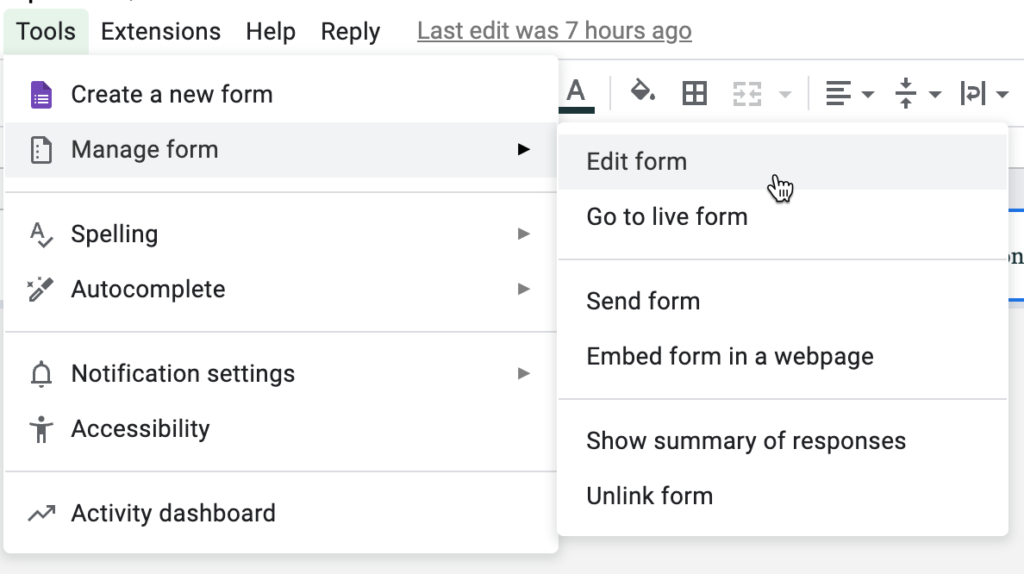
When you click on a different tab the Tools menu will be for THAT Tab that links to THAT Form.