

I am working on making this Add-on be really cool. However, it will take me some time and one feature at a time.
The purpose of this Add-on is to create an INDIVIDUALIZED version PER STUDENT!! Currently this only supports text based questions and not multiple choice. HOWEVER, I would encourage you to use a self grading tool for the multiple choice portion and use this for the free response portion.
New Feature: Students respond in a table.
New Feature: Add text directions to each Google Doc
2 Tabs - Questions and Students
Notice there are 2 tabs in this spreadsheet. Questions and Student List.
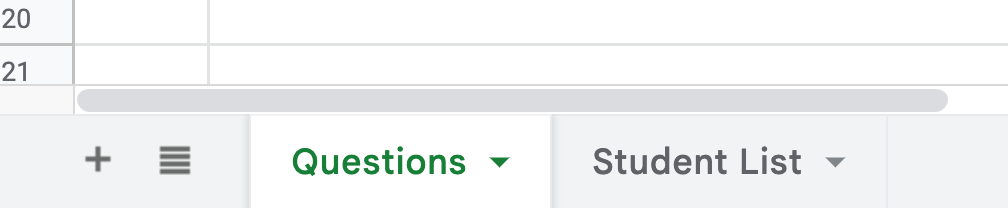
On the first tab, make a list of questions.
On the second tab, make a list of your student names (and optionally their emails)
For each student the list of questions will be SHUFFLED and a new Google Doc per student will be created with x number of questions from the bank.
Add Questions
You will choose how many free response questions the student will have. They will NOT get all of the questions, unless you want that. Write your list of free response questions on the first tab.
A Google Doc per Student
Floating in Your Google Drive will be a Google Doc per student. Each will be UNIQUE and personalized.
Currently I do not have the docs go into a folder. The reason for this is that Google makes it harder to get an Add-on approved if you use Google Drive in your code. I want to get this as an approved premium add-on thus I am hesitant to add in this feature.
Extensions Menu
Use the Extensions menu AFTER you have the question bank and list of student names.
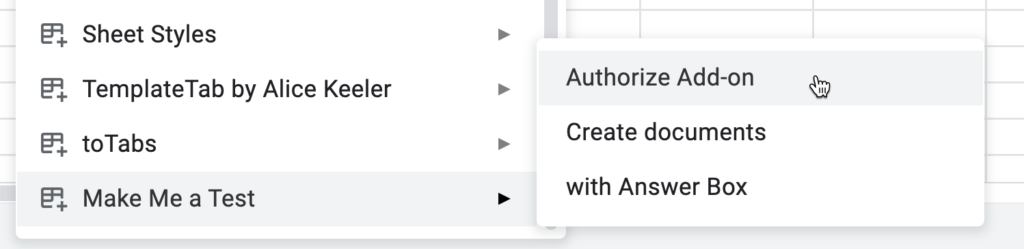
As usual, you need to authorize the Add-on FOR YOURSELF. I collect NO user data.
Create Documents
This is the version 1 attempt. It just adds your questions to the document with a horizontal line in between.
UPDATES:
- Allows you to have directions at the top of each student document.
- Numbers the questions
- Puts more space between questions
with Answer Box
This is the V2 update that is a little fancier. It has a table that has question number, question, and answer box.
Links in the Spreadsheet
The links to the individual student versions are placed on the spreadsheet. IF you had a valid email address for each student the document was shared with them.