
I have updated my premium Add-on Audience Participator. It links a Google Forms to your Google Slides. Students fill out the Form and their responses become your slides.
Steps for Audience Participator
- Start a Google Slides
- Use the Extensions menu to select Audience Participator
- Select "Setup Form"
- Add a section header slide (only one text box) with a question
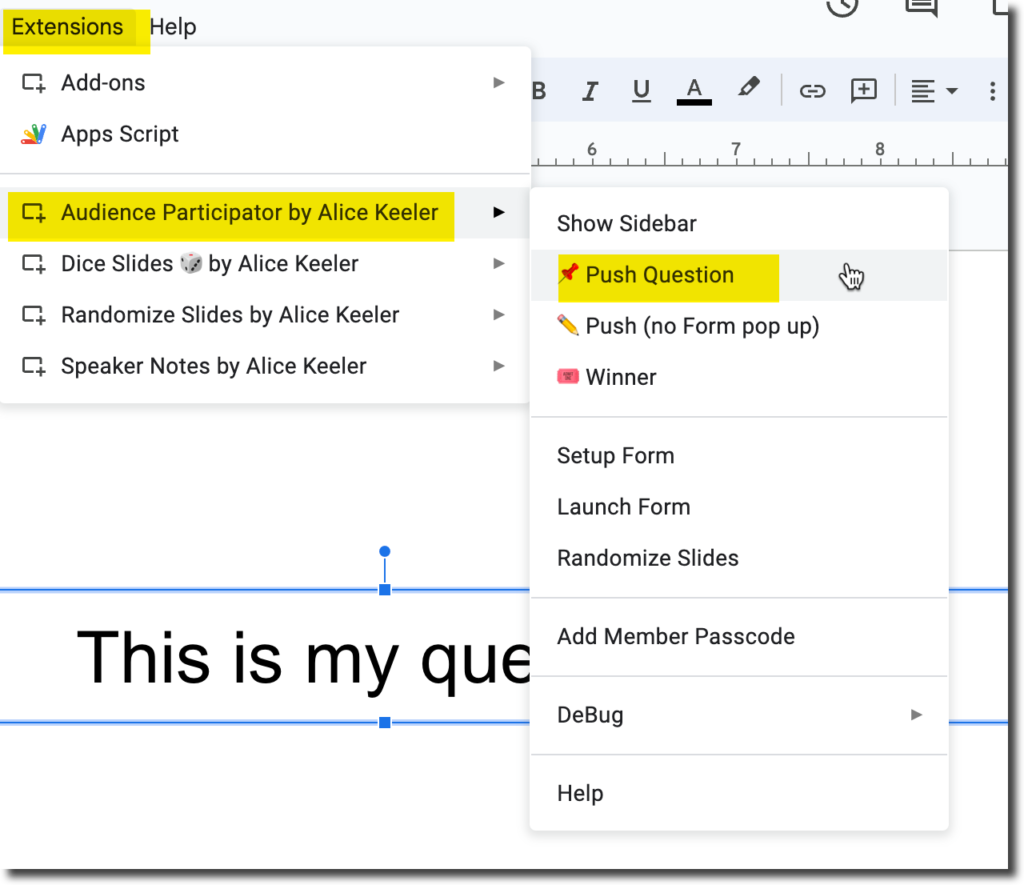
- Use the Extensions menu, Audience Participator, "Push Question."
- Students fill out the Form
- Their responses become slides after the question slide.
Section Header Layout
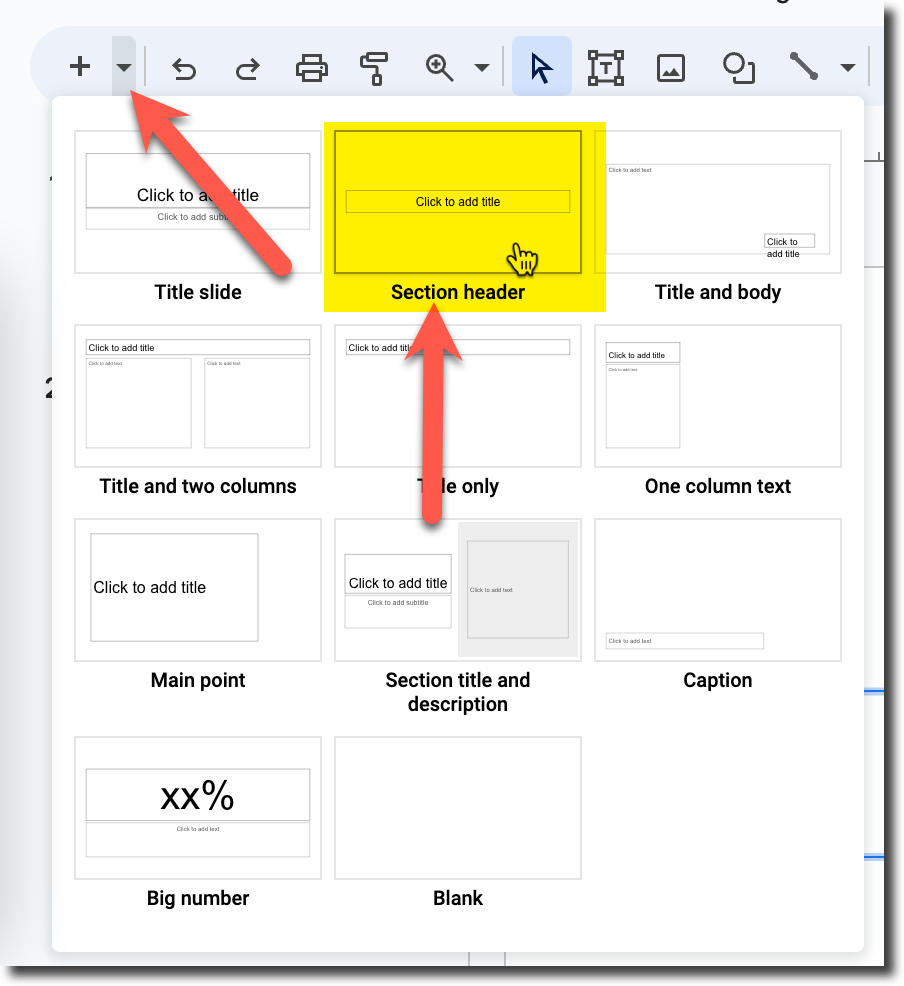
I recommend adding the "Section header" layout for when you want to ask a question in your slides.
Push Question
Use the Extensions menu and choose Audience Participator. Select "Show Sidebar." You can use the button in the sidebar to "Push Question" or just use the menu. This will update the Google Form each time. Students will use the same Google Form over and over. The form will update each time you push the question.
Form is Linked to the Slides
The Form is linked to the Google Slides. You can keep reusing the same Google Slides if you want to keep using the same Form.