
I RECOMMEND YOU KEEP YOUR FILES IN A PERSONAL ACCOUNT! If you have files in your school account that you want to keep, copy them over to your personal account.
Unofficial Add-on Copy My Folder Pro
I have created an unofficial Add-on that allows you to copy your files from a folder. This is important because you do not want to copy each file one at a time.
*This is for member use only. Please do not share with others.
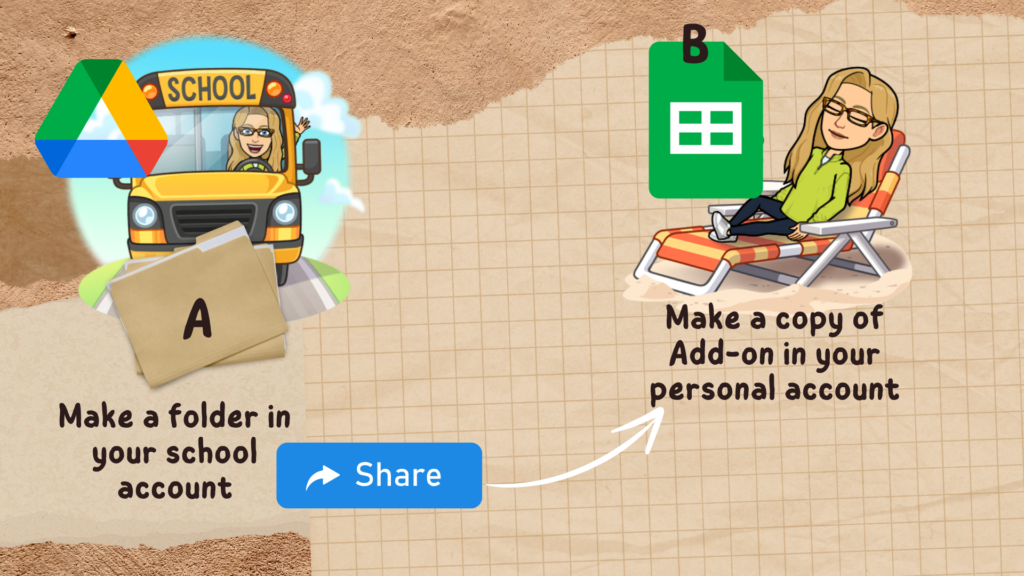
Copy My Folder Pro will copy a folder and the subfolders in the folder (only one level deep… if you have folders in folders… no dice.)
Account A – School Account
Account B – Personal Account
In account A make a folder and share it with account B.
In account B, copy the Add-on. You are running Copy My Folder Pro from your personal account.
Use the Extensions menu to choose “Copy my Folder” and show the sidebar.
Single Select the Shared Folder
Important: you will feel like double clicking the folder, but you are NOT selecting the files in the folder. You are selecting the folder.
From account B, single click on the shared folder. In your personal account, select the shared folder in your school account.
If the Add-on times out, run it again.