
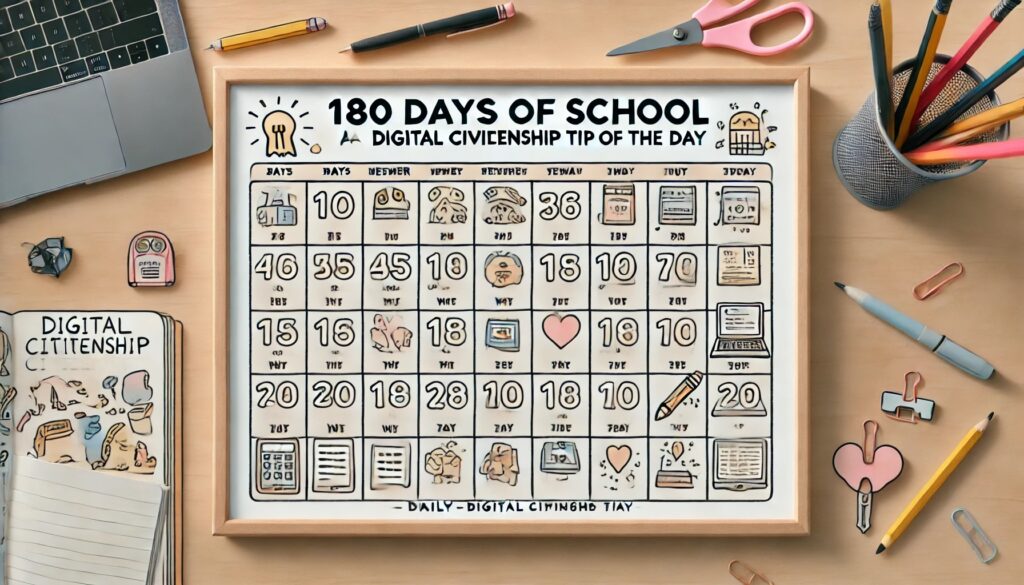
In the weekly sign in I was asked about digital citizenship. There are SO MANY SCAMS! It is important to, even starting with kindergarteners, share about digital citizenship and how to spot scams. Here are some resources, a digital citizenship tip of the day and my chat with AI on some lessons for students.
Daily Digital Citizenship Tip
180 Days of School: Daily Digital Citizenship Tip
| Day | Tip |
|---|---|
| 1 | Always use strong, unique passwords for your accounts. |
| 2 | Never share your passwords with anyone, even friends. |
| 3 | Be cautious of unsolicited emails and messages. |
| 4 | Verify the source before clicking on links in emails. |
| 5 | Use two-factor authentication wherever possible. |
| 6 | Remember that once something is posted online, it can be difficult to remove. |
| 7 | Think before you post: is it true, helpful, inspiring, necessary, and kind? |
| 8 | Adjust privacy settings on your social media accounts. |
| 9 | Be respectful and kind to others online. |
| 10 | Avoid sharing personal information on public websites. |
| 11 | Keep your software and apps updated to ensure security. |
| 12 | Use antivirus software to protect your devices. |
| 13 | Be aware of phishing scams that ask for personal information. |
| 14 | Report any cyberbullying or harassment to a trusted adult. |
| 15 | Only download apps from trusted sources. |
| 16 | Understand the terms of service of the websites and apps you use. |
| 17 | Avoid using public Wi-Fi for sensitive transactions. |
| 18 | Be mindful of your digital footprint. |
| 19 | Use a VPN for added security on public networks. |
| 20 | Be skeptical of “too good to be true” offers online. |
| 21 | Regularly review and clean your browser history and cookies. |
| 22 | Don’t overshare on social media. |
| 23 | Use secure and unique passwords for different accounts. |
| 24 | Back up your data regularly. |
| 25 | Always log out of accounts when using shared devices. |
| 26 | Be aware of the consequences of illegal downloads. |
| 27 | Use parental controls if necessary to protect younger users. |
| 28 | Respect copyright laws when using online content. |
| 29 | Be cautious of unsolicited friend requests on social media. |
| 30 | Don’t respond to emails asking for personal information. |
| 31 | Use different email addresses for different purposes. |
| 32 | Be mindful of how much screen time you have each day. |
| 33 | Educate yourself about the latest online scams. |
| 34 | Use strong, memorable passwords that you don’t need to write down. |
| 35 | Avoid clicking on pop-up ads. |
| 36 | Be careful when sharing photos online. |
| 37 | Know how to recognize secure websites (look for HTTPS). |
| 38 | Never meet someone in person that you only know online without telling a trusted adult. |
| 39 | Use privacy tools like incognito mode when necessary. |
| 40 | Understand that employers may review your social media profiles. |
| 41 | Avoid using the same password across multiple sites. |
| 42 | Don’t open attachments from unknown senders. |
| 43 | Regularly check your privacy settings on social media platforms. |
| 44 | Don’t believe everything you read online; verify information. |
| 45 | Understand the concept of digital permanence. |
| 46 | Be wary of free offers that ask for credit card information. |
| 47 | Know how to block and report users who are inappropriate online. |
| 48 | Use a mix of letters, numbers, and symbols in your passwords. |
| 49 | Educate yourself about your digital rights and responsibilities. |
| 50 | Don’t share your location in social media posts. |
| 51 | Always question the legitimacy of unexpected messages. |
| 52 | Understand what constitutes cyberbullying and how to prevent it. |
| 53 | Use password managers to keep your passwords secure. |
| 54 | Be cautious about the information you share in online forums. |
| 55 | Make sure your home Wi-Fi is password protected. |
| 56 | Don’t download software from untrustworthy sites. |
| 57 | Be mindful of the digital content you consume. |
| 58 | Avoid oversharing on blogs and personal websites. |
| 59 | Always read app permissions before installing. |
| 60 | Remember that anonymity online does not guarantee privacy. |
| 61 | Avoid using public computers for financial transactions. |
| 62 | Be aware of your school’s acceptable use policy. |
| 63 | Take regular breaks from screens to protect your eyes. |
| 64 | Educate yourself on how to recognize fake news. |
| 65 | Be mindful of the digital reputation you are creating. |
| 66 | Understand how data is collected and used by apps and websites. |
| 67 | Avoid using personal information in your usernames. |
| 68 | Learn about the risks of online gaming. |
| 69 | Make sure to use secure and reputable cloud storage services. |
| 70 | Report suspicious online behavior to a trusted adult. |
| 71 | Be mindful of copyright when sharing content. |
| 72 | Check the credibility of sources when doing online research. |
| 73 | Learn how to set up and use parental controls. |
| 74 | Understand the implications of tagging others in posts and photos. |
| 75 | Avoid oversharing in online comments and reviews. |
| 76 | Regularly review the privacy policies of the services you use. |
| 77 | Don’t post when you’re upset; think before you click. |
| 78 | Learn how to identify and avoid clickbait. |
| 79 | Always be respectful in your digital communications. |
| 80 | Avoid using public Wi-Fi for online shopping or banking. |
| 81 | Use unique answers to security questions. |
| 82 | Verify the identity of people you meet online before trusting them. |
| 83 | Understand the risks of using social media challenges. |
| 84 | Know how to spot and avoid online quizzes that ask for personal information. |
| 85 | Learn about digital rights management (DRM). |
| 86 | Educate yourself about online harassment and how to deal with it. |
| 87 | Be careful about sharing memes and images that could be offensive. |
| 88 | Use anti-tracking tools to protect your online privacy. |
| 89 | Don’t store sensitive information on shared devices. |
| 90 | Avoid using personal devices for work-related tasks without proper security. |
| 91 | Report cyberbullying immediately to a trusted adult or platform. |
| 92 | Avoid sharing too much about your daily routine online. |
| 93 | Regularly update your social media privacy settings. |
| 94 | Learn about the impact of digital footprints on college applications. |
| 95 | Be aware of the long-term impact of your online actions. |
| 96 | Use secure methods to share documents online. |
| 97 | Be cautious about sharing event details publicly. |
| 98 | Understand the importance of net neutrality. |
| 99 | Learn how to recognize and avoid online pyramid schemes. |
| 100 | Don’t share your credit card information over unsecured websites. |
| 101 | Be mindful of the apps you grant location access to. |
| 102 | Understand the importance of digital etiquette. |
| 103 | Avoid using the same password for personal and school accounts. |
| 104 | Be cautious of online ads that promise unrealistic results. |
| 105 | Understand the concept of intellectual property. |
| 106 | Don’t share sensitive information in online chats. |
| 107 | Always sign out of accounts on shared or public devices. |
| 108 | Educate yourself about the dark web and its dangers. |
| 109 | Understand how cookies track your online behavior. |
| 110 | Learn how to properly use and manage browser extensions. |
| 111 | Be cautious when joining online groups and forums. |
| 112 | Always verify a website’s contact information before trusting it. |
| 113 | Understand the role of digital literacy in modern education. |
| 114 | Be mindful of the information you share during live streams. |
| 115 | Avoid using online storage for highly sensitive documents. |
| 116 | Be aware of how your digital footprint can affect job prospects. |
| 117 | Avoid oversharing on dating apps. |
| 118 | Understand the importance of digital consent. |
| 119 | Be cautious of online surveys that ask for personal information. |
| 120 | Educate yourself about online privacy laws in your country. |
| 121 | Avoid clicking on suspicious links in comments or forums. |
| 122 | Understand the concept of data mining. |
| 123 | Regularly review and update your account recovery options. |
| 124 | Avoid using personal information for security questions. |
| 125 | Learn about the impact of social media on mental health. |
| 126 | Be mindful of the time you spend on digital devices. |
| 127 | Understand the importance of diversifying your online passwords. |
| 128 | Avoid using public Wi-Fi without a VPN. |
| 129 | Be cautious of peer-to-peer file sharing. |
| 130 | Educate yourself about the potential risks of digital addiction. |
| 131 | Always use trusted sources for downloading software. |
| 132 | Understand the concept of digital detox. |
| 133 | Avoid sharing your financial information online without verification. |
| 134 | Be mindful of the potential risks of wearable technology. |
| 135 | Educate yourself about the importance of digital inclusion. |
| 136 | Understand the potential risks of using digital wallets. |
| 137 | Avoid using unsecured Wi-Fi for online shopping. |
| 138 | Be cautious of unsolicited emails offering free software. |
| 139 | Educate yourself about cyber laws and regulations. |
| 140 | Understand the importance of digital legacy management. |
| 141 | Avoid posting detailed personal information in public profiles. |
| 142 | Be cautious of online services that require extensive personal information. |
| 143 | Learn how to properly use and manage digital certificates. |
| 144 | Understand the impact of your digital footprint on relationships. |
| 145 | Avoid using your real name in online gaming profiles. |
| 146 | Be mindful of the digital tools you use for school assignments. |
| 147 | Educate yourself about the potential risks of artificial intelligence. |
| 148 | Understand the importance of secure online communication. |
| 149 | Avoid sharing sensitive information over instant messaging apps. |
| 150 | Be cautious of online ads that seem too good to be true. |
| 151 | Educate yourself about the impact of digital literacy on career opportunities. |
| 152 | Understand the concept of digital minimalism. |
| 153 | Avoid clicking on pop-ups that ask for personal information. |
| 154 | Be mindful of the potential risks of digital footprints on social media. |
| 155 | Educate yourself about the importance of online security awareness. |
| 156 | Understand the potential risks of online shopping fraud. |
| 157 | Avoid using personal information for online profiles. |
| 158 | Be cautious of unsolicited emails asking for donations. |
| 159 | Educate yourself about the potential risks of digital transformation. |
| 160 | Understand the importance of secure online transactions. |
| 161 | Avoid sharing your personal information with unknown online entities. |
| 162 | Be mindful of the potential risks of online data breaches. |
| 163 | Educate yourself about the importance of digital safety. |
| 164 | Understand the potential risks of online identity theft. |
| 165 | Avoid using the same password for multiple online accounts. |
| 166 | Be cautious of unsolicited emails offering financial advice. |
| 167 | Educate yourself about the potential risks of digital misinformation. |
| 168 | Understand the importance of digital ethics. |
| 169 | Avoid sharing your personal information with unverified online services. |
| 170 | Be mindful of the potential risks of online scams. |
| 171 | Educate yourself about the importance of digital security. |
| 172 | Understand the potential risks of online privacy breaches. |
| 173 | Avoid using public Wi-Fi for sensitive online transactions. |
| 174 | Be cautious of unsolicited emails offering employment opportunities. |
| 175 | Educate yourself about the potential risks of digital deception. |
| 176 | Understand the importance of digital responsibility. |
| 177 | Avoid sharing your personal information with untrusted online platforms. |
| 178 | Be mindful of the potential risks of online fraud. |
| 179 | Educate yourself about the importance of digital resilience. |
| 180 | Understand the potential risks of online exploitation. |
My Conversation with ChatGPT

Digital Literacy Lesson Plan for Seventh Grade
Objectives:
- Students will understand the importance of digital literacy.
- Students will learn essential skills for navigating the digital world.
- Students will practice safe, responsible, and effective use of technology.
Key Concepts:
- Digital Citizenship: Understanding how to interact responsibly online.
- Online Safety: Protecting personal information and recognizing online threats.
- Research Skills: Evaluating the credibility of online sources.
- Communication: Using digital tools to collaborate and communicate effectively.
- Digital Footprint: Understanding the long-term impact of online actions.
The 5 E’s Lesson Plan Model
1. Engage
Activity: Digital Footprint Mystery Game
- Objective: Students will explore the concept of a digital footprint in an interactive and engaging way.
- Procedure:
- Before class, create fictional online profiles for a few made-up characters with various digital footprints.
- Divide the students into small groups and give each group one character profile.
- Ask the groups to analyze the profiles and determine as much as they can about each character based on their digital footprint.
- Have each group present their findings to the class, discussing what they discovered and how they came to their conclusions.
Discussion Questions:
- What did you learn about your character from their digital footprint?
- Why is it important to be mindful of what we share online?
2. Explore
Activity: Safe Surfing Simulation
- Objective: Students will learn to identify safe and unsafe online practices.
- Procedure:
- Set up a simulation with different online scenarios (e.g., receiving a suspicious email, being asked for personal information).
- In small groups, have students decide the best course of action for each scenario.
- Discuss each scenario as a class and highlight key online safety principles.
Discussion Questions:
- What are some red flags to look out for when online?
- How can we protect our personal information on the internet?
3. Explain
Activity: Evaluating Online Sources
- Objective: Students will develop skills to critically evaluate the credibility of online sources.
- Procedure:
- Present criteria for evaluating online sources (e.g., author credibility, website reliability, date of publication).
- Provide students with a mix of credible and non-credible sources on a given topic.
- Have students work in pairs to evaluate the sources and determine which are reliable.
Discussion Questions:
- What makes a source credible or non-credible?
- How can we ensure we are using reliable information in our research?
4. Elaborate
Activity: Digital Collaboration Project
- Objective: Students will use digital tools to collaborate on a project.
- Procedure:
- Assign a group project where students must use digital tools (e.g., Google Docs, Padlet, Trello) to research and present on a given topic.
- Provide guidelines for effective online communication and collaboration.
- Have students create a digital presentation and share it with the class.
Discussion Questions:
- What are some challenges of collaborating online?
- How can we communicate effectively with our team members?
5. Evaluate
Activity: Digital Literacy Self-Assessment
- Objective: Students will reflect on their digital literacy skills and identify areas for improvement.
- Procedure:
- Provide a self-assessment checklist covering the key concepts learned (digital citizenship, online safety, research skills, communication, digital footprint).
- Have students complete the self-assessment and set personal goals for improvement.
- Collect feedback on the lesson to identify areas for further instruction.
Discussion Questions:
- What skills do you feel confident in?
- What areas do you think you need more practice with?
Extension Activities:
- Guest Speaker: Invite a cybersecurity expert to talk about online safety.
- Field Trip: Visit a local library or community center to learn about digital resources available.
- Parent Workshop: Host a session for parents on supporting their children’s digital literacy at home.
Assessment:
- Formative: Monitor student participation and engagement in activities and discussions.
- Summative: Evaluate the digital collaboration project and self-assessment reflections.
Tools and Resources:
- Websites: Utilize websites like SafeKids.com and CyberWise for resources and activities.
- Digital Tools: Introduce tools like Google Docs, Padlet, and Trello for collaboration.
By incorporating these activities and principles, you can help your seventh-grade students develop the digital literacy skills they need for daily tasks and their lives.
Digital Literacy Lesson Plan for Seventh Grade
Objectives:
- Students will understand the importance of digital literacy.
- Students will learn essential skills for navigating the digital world.
- Students will practice safe, responsible, and effective use of technology.
Key Concepts:
- Digital Citizenship: Understanding how to interact responsibly online.
- Online Safety: Protecting personal information and recognizing online threats.
- Research Skills: Evaluating the credibility of online sources.
- Communication: Using digital tools to collaborate and communicate effectively.
- Digital Footprint: Understanding the long-term impact of online actions.
The 5 E’s Lesson Plan Model
1. Engage
Activity: Digital Footprint Mystery Game
- Objective: Students will explore the concept of a digital footprint in an interactive and engaging way.
- Procedure:
- Before class, create fictional online profiles for a few made-up characters with various digital footprints.
- Divide the students into small groups and give each group one character profile.
- Ask the groups to analyze the profiles and determine as much as they can about each character based on their digital footprint.
- Have each group present their findings to the class, discussing what they discovered and how they came to their conclusions.
Discussion Questions:
- What did you learn about your character from their digital footprint?
- Why is it important to be mindful of what we share online?
2. Explore
Activity: Safe Surfing Simulation
- Objective: Students will learn to identify safe and unsafe online practices.
- Procedure:
- Set up a simulation with different online scenarios (e.g., receiving a suspicious email, being asked for personal information).
- In small groups, have students decide the best course of action for each scenario.
- Discuss each scenario as a class and highlight key online safety principles.
Discussion Questions:
- What are some red flags to look out for when online?
- How can we protect our personal information on the internet?
3. Explain
Activity: Evaluating Online Sources
- Objective: Students will develop skills to critically evaluate the credibility of online sources.
- Procedure:
- Present criteria for evaluating online sources (e.g., author credibility, website reliability, date of publication).
- Provide students with a mix of credible and non-credible sources on a given topic.
- Have students work in pairs to evaluate the sources and determine which are reliable.
Discussion Questions:
- What makes a source credible or non-credible?
- How can we ensure we are using reliable information in our research?
4. Elaborate
Activity: Digital Collaboration Project Using FigJam
- Objective: Students will use digital tools to collaborate on a project.
- Procedure:
- Assign a group project where students must use FigJam to research and present on a given topic.
- Provide guidelines for effective online communication and collaboration.
- Teach students how to use FigJam, including creating boards, adding content, and collaborating in real-time.
- Have students create a digital presentation using FigJam and share it with the class.
Discussion Questions:
- What are some challenges of collaborating online?
- How can we communicate effectively with our team members?
5. Evaluate
Activity: Digital Literacy Self-Assessment
- Objective: Students will reflect on their digital literacy skills and identify areas for improvement.
- Procedure:
- Provide a self-assessment checklist covering the key concepts learned (digital citizenship, online safety, research skills, communication, digital footprint).
- Have students complete the self-assessment and set personal goals for improvement.
- Collect feedback on the lesson to identify areas for further instruction.
Discussion Questions:
- What skills do you feel confident in?
- What areas do you think you need more practice with?
Extension Activities:
- Guest Speaker: Invite a cybersecurity expert to talk about online safety.
- Field Trip: Visit a local library or community center to learn about digital resources available.
- Parent Workshop: Host a session for parents on supporting their children’s digital literacy at home.
Assessment:
- Formative: Monitor student participation and engagement in activities and discussions.
- Summative: Evaluate the digital collaboration project and self-assessment reflections.
Tools and Resources:
- Websites: Utilize websites like SafeKids.com and CyberWise for resources and activities.
- Digital Tools: Introduce tools like FigJam, Google Docs, Padlet, and Trello for collaboration.
By incorporating these activities and principles, you can help your seventh-grade students develop the digital literacy skills they need for daily tasks and their lives.
Common Digital Scams and Tricks
1. Phishing
- Description: Fake emails or messages that appear to come from legitimate sources, asking for personal information.
- Example: An email claiming to be from your bank asking you to verify your account information.
2. Smishing
- Description: Similar to phishing, but done through text messages (SMS).
- Example: A text message from an unknown number claiming you’ve won a prize and asking for your personal details.
3. Vishing
- Description: Phishing over the phone, where scammers call and ask for personal information.
- Example: A call pretending to be from a tech support service asking for your computer passwords.
4. Fake Websites
- Description: Websites that mimic legitimate ones to steal your personal information or money.
- Example: A website that looks like an online store but is designed to collect your credit card information.
5. Malware
- Description: Malicious software designed to damage, disrupt, or gain unauthorized access to your computer.
- Example: Downloading a free game that secretly installs a virus on your computer.
6. Ransomware
- Description: A type of malware that encrypts your files and demands payment for the decryption key.
- Example: A message on your computer screen demanding money to unlock your files.
7. Social Media Scams
- Description: Scams that occur on social media platforms, often involving fake accounts or offers.
- Example: A message from a friend’s hacked account asking for money or personal information.
8. Online Shopping Scams
- Description: Fake online stores or fraudulent listings on legitimate sites.
- Example: Paying for an item that is never delivered or is significantly different from the description.
9. Job Scams
- Description: Fake job offers designed to steal personal information or money.
- Example: A job posting asking for a fee to apply or requesting your bank details.
10. Lottery Scams
- Description: Notifications that you’ve won a lottery or sweepstakes you never entered, asking for personal information or a processing fee.
- Example: An email claiming you’ve won a large sum of money and need to provide your bank account details to receive it.
11. Tech Support Scams
- Description: Scammers pretending to be tech support to gain access to your computer and steal information or money.
- Example: A pop-up warning on your computer claiming you have a virus and need to call a support number.
12. Catfishing
- Description: Creating fake identities to deceive people, often for romantic relationships or financial gain.
- Example: Someone pretending to be someone else online to build a relationship and then ask for money.
13. Online Survey Scams
- Description: Fake surveys designed to collect your personal information.
- Example: An email or pop-up asking you to complete a survey for a prize, but really gathering your data for misuse.
14. Fake Antivirus Software
- Description: Software that claims to protect your computer but actually installs malware.
- Example: A pop-up warning that your computer is infected and you need to download their antivirus software.
15. Investment Scams
- Description: Promises of high returns on investments that are too good to be true.
- Example: An email or social media message promoting a new cryptocurrency or investment opportunity with guaranteed returns.
Tips for Students:
- Verify Sources: Always check the legitimacy of emails, messages, and websites before providing any personal information.
- Be Skeptical: If something seems too good to be true, it probably is.
- Use Security Software: Keep your computer and devices protected with up-to-date antivirus software.
- Educate Yourself: Stay informed about the latest scams and how to avoid them.
- Report Suspicious Activity: If you encounter a scam, report it to the appropriate authorities or the platform where it occurred.
Common Text Message Scams (Smishing) and How to Identify Them
Common Text Message Scams:
Package Delivery Scams
- Description: Texts claiming that a package delivery failed and you need to click a link or call a number to reschedule or provide additional information.
- Example: “Your package delivery has failed. Please visit [link] to reschedule delivery.”
Bank Account Alerts
- Description: Texts pretending to be from your bank, warning of suspicious activity and urging you to verify your account.
- Example: “Suspicious activity detected on your account. Click here [link] to secure your account.”
Prize or Sweepstakes Scams
- Description: Texts claiming you’ve won a prize or lottery and need to provide personal details to claim it.
- Example: “Congratulations! You’ve won a $1,000 gift card. Claim your prize at [link].”
Urgent Account Problems
- Description: Texts saying there’s an urgent problem with your account (e.g., email, social media, utility) that requires immediate action.
- Example: “Your account will be locked if you do not verify your information at [link].”
Job Offers
- Description: Texts offering high-paying jobs or asking for an interview, often requiring personal information upfront.
- Example: “We reviewed your resume and want to offer you a job. Please fill out this application form [link].”
Survey Scams
- Description: Texts asking you to complete a survey for a chance to win a prize or gift card.
- Example: “Complete this survey for a chance to win a free iPad. Start here [link].”
Tech Support Scams
- Description: Texts claiming there’s an issue with your device that needs immediate attention and prompting you to call a number or click a link.
- Example: “Your phone has been compromised. Call [number] to speak with a technician.”
Charity Scams
- Description: Texts soliciting donations for fake charities, often following natural disasters or crises.
- Example: “Help victims of the recent earthquake. Donate now at [link].”
How to Identify Text Message Scams:
Unfamiliar Sender
- Be cautious of texts from unknown numbers, especially those asking for personal information or action.
Urgent Language
- Scammers often create a sense of urgency to prompt immediate action without thinking.
- Examples: “Urgent!,” “Immediate action required,” “Your account will be locked.”
Suspicious Links
- Hover over or long-press (without clicking) links to see if they lead to legitimate websites.
- Be wary of shortened URLs or links with strange characters.
Asking for Personal Information
- Legitimate companies typically don’t ask for sensitive information via text.
- Examples: passwords, Social Security numbers, credit card details.
Spelling and Grammar Errors
- Scammers often use poor spelling and grammar, which can be a red flag.
Unsolicited Offers
- Be skeptical of unsolicited offers, especially those that seem too good to be true.
- Examples: unexpected job offers, winnings, or free gifts.
Requests for Payment
- Avoid texts asking for payment or donations via unusual methods (e.g., gift cards, wire transfers).
What Students Should Do:
- Do Not Click Links or Call Numbers: Avoid interacting with links or numbers provided in suspicious texts.
- Verify with the Source: If you’re unsure, contact the organization directly using official contact information from their website.
- Block and Report: Block the sender and report the number as spam to your mobile carrier.
- Use Security Software: Keep your phone’s security software up-to-date.
- Educate Yourself and Others: Stay informed about the latest scams and share information with friends and family to keep everyone safe.
By understanding these common text message scams and knowing what to look for, students can better protect themselves from falling victim to these schemes.
Signs That a Website is Not Legitimate
1. Unusual URL
- Description: The website URL may look strange or unfamiliar.
- Examples:
- Misspelled names (e.g., “gooogle.com” instead of “google.com”).
- Extra characters or numbers (e.g., “amazonshop123.com”).
- Different domain endings (e.g., “.net” or “.info” instead of “.com”).
2. Lack of HTTPS
- Description: A legitimate website should use HTTPS (Hypertext Transfer Protocol Secure) to encrypt data.
- Check:
- Look for “https://” at the beginning of the URL.
- A padlock icon next to the URL indicates the site is secure.
- Note: Not all HTTPS sites are safe, but all safe sites should have HTTPS.
3. Poor Design and Layout
- Description: Many scam websites have unprofessional designs and layouts.
- Signs:
- Low-quality images and logos.
- Broken links and non-functional buttons.
- Inconsistent fonts and colors.
4. Spelling and Grammar Errors
- Description: Legitimate websites typically avoid spelling and grammar mistakes.
- Check:
- Look for frequent errors in text, product descriptions, or blog posts.
- Poorly written content can indicate a lack of professionalism.
5. No Contact Information
- Description: Legitimate websites usually provide clear contact information.
- Check:
- Absence of a contact page or hard-to-find contact details.
- Use of free email services (e.g., “gmail.com” or “yahoo.com”) instead of a professional domain email.
6. Unrealistic Offers
- Description: Scam websites often lure victims with deals that are too good to be true.
- Examples:
- Extremely low prices on high-value items.
- Promises of free products or massive discounts without a catch.
7. No Reviews or Fake Reviews
- Description: A legitimate website usually has reviews from real customers.
- Check:
- Lack of reviews or only having overly positive reviews without any negatives.
- Reviews with similar language and structure, indicating they might be fake.
8. Strange Payment Methods
- Description: Scam websites often require unusual or insecure payment methods.
- Check:
- Requests for payment via wire transfer, gift cards, or cryptocurrency.
- Absence of secure payment gateways like PayPal or credit card processing.
9. Pop-ups and Ads
- Description: Excessive pop-ups and advertisements can indicate a spammy or unsafe site.
- Check:
- Frequent pop-ups asking for personal information or urging downloads.
- Ad-heavy sites that disrupt the user experience.
10. Inconsistent Domain Information
- Description: The domain registration details can reveal the legitimacy of a site.
- Check:
- Use “WHOIS” lookup to find domain registration details.
- Look for recent registration dates, hidden owner details, or multiple changes in ownership.
11. Suspicious Content and Claims
- Description: Unrealistic content or extraordinary claims without evidence.
- Check:
- Claims of exclusive products not found elsewhere.
- Content that incites urgency or fear to prompt quick decisions.
Steps to Verify Website Legitimacy:
- Check the URL Carefully: Ensure it’s spelled correctly and looks familiar.
- Look for HTTPS and the Padlock Icon: Ensure the site uses secure encryption.
- Examine the Design and Content: Look for professional layout and error-free text.
- Verify Contact Information: Check for a valid physical address, phone number, and professional email.
- Research Reviews: Look for genuine customer reviews on independent sites.
- Use Online Tools: Utilize tools like WHOIS lookup and website safety checkers (e.g., Google Safe Browsing).
- Trust Your Instincts: If something feels off or too good to be true, proceed with caution.
By being aware of these signs, students can better protect themselves from falling victim to fraudulent websites.