Track your hours you spend on tasks with hidden features in AliceTasks Add-on for Google Sheets.
I have ADHD which means I get a ton of things done… none of which is what I need to get done 🤣. One way I help to motivate myself and keep on track is to add what I am doing to Google Calendar so I can track my hours. I gamify by checking multiple times a day how many hours I spent. I just added my personal add-on code to make it public so you can do this too.
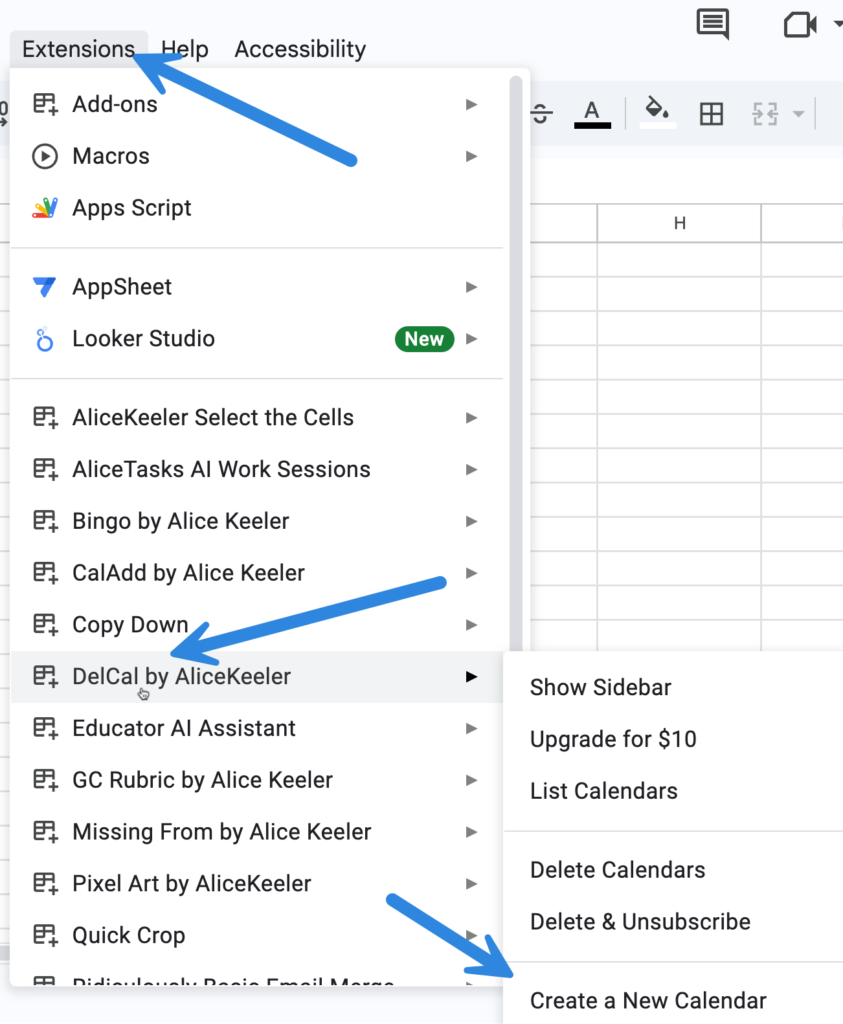
As with many of my Add-ons I have secret features. DelCal is one of them. It has a PREMIUM (which means for you!) feature to track hashtags on your Google Calendar. It also has a feature to quickly create a calendar.
Create a Working Calendar
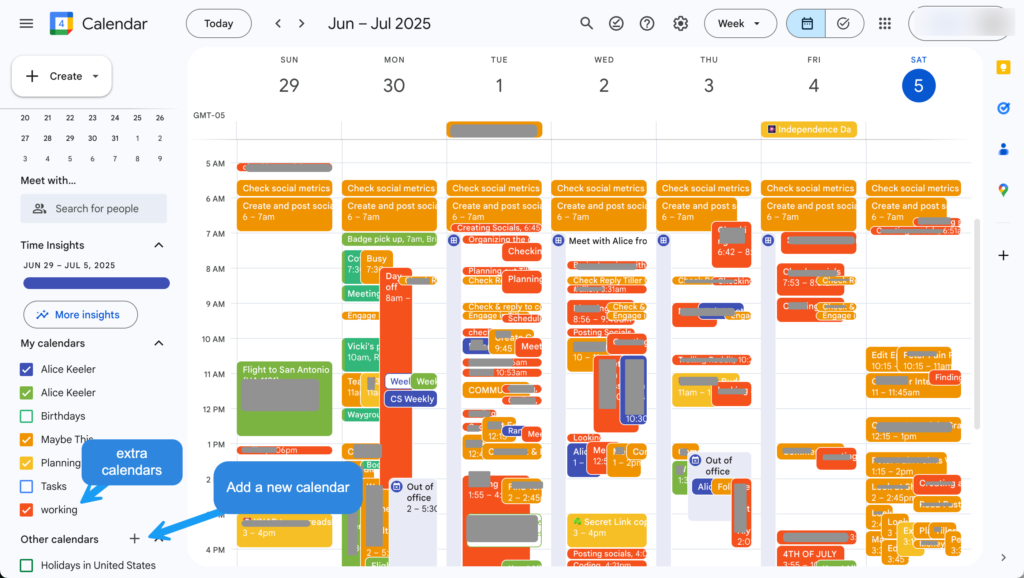
I have a LOT of calendars. I have my main calendar that I use to schedule my appointments. But I have a different calendar to plan out what I want to do. Another calendar for what I have scheduled and is not a todo item, but reminds me about it. And I have one calendar just to track my work at my part time job.
Now this looks overwhelming that I have all of these overlapping calendars but notice they are different colors. This allows me to ignore the ones that are reminders or record keeping so I can focus on my events I can also use the 3 dots on the calendar list on the left hand side to show only one calendar at at time.
How to Make a Calendar
Directly in Google Calendar, ust click the plus icon next to “Other calendars” on the left hand side. (so obvious, not!)
The bottom option is “Create a New Calendar.” I find this faster.
Additionally, DelCal has in the sidebar the ability to Manage Calendar events (like mass delete)
Track a Hashtag with DelCal
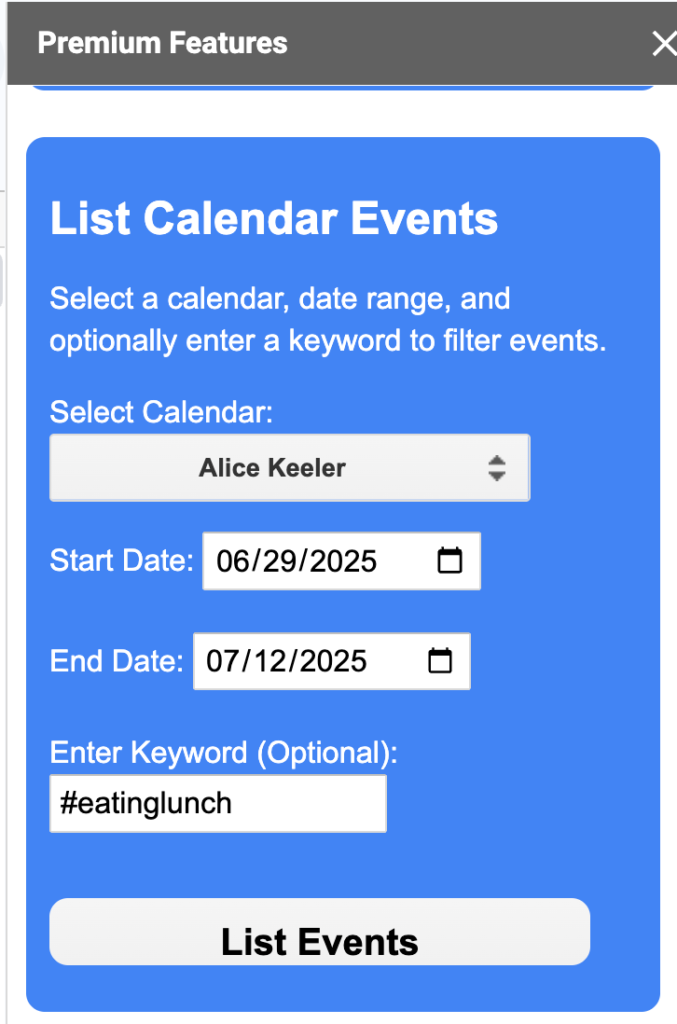
If you add hashtags to your calendar events such as #lessonplanning or #eatinglunch you can use DelCal advanced feature to filter your calendar for the hashtag so you can tell how much time you spend on a task.
This is really helpful! But… I want to make it even easier.
Upgrade with AliceTasks
I have a calendar specifically for tracking what I do so it does not muddy what meetings I have on the calendar. AliceTasks will create events to Google Calendar (unlike DelCal).
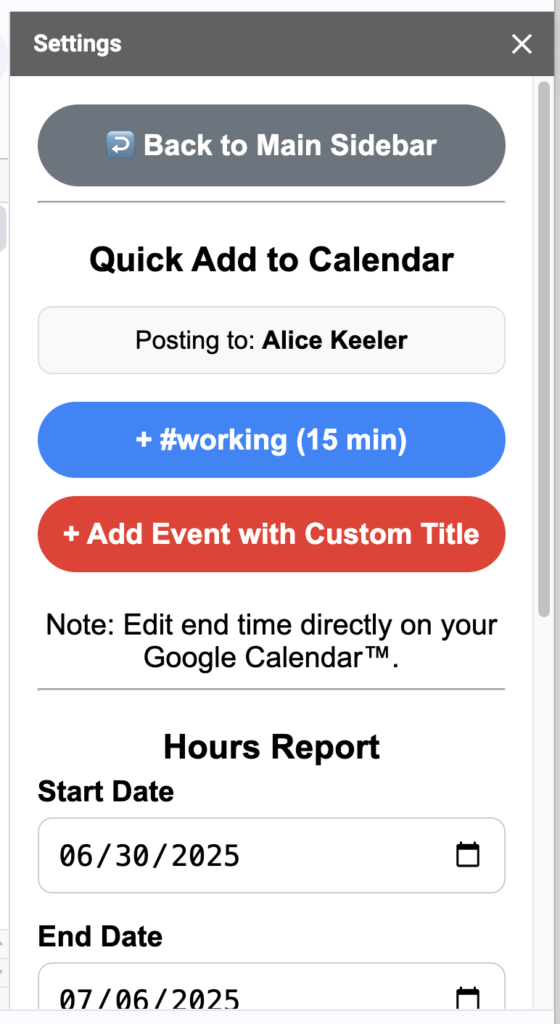
Use the Extensions menu to choose AliceTasks and show the Hours Sidebar.
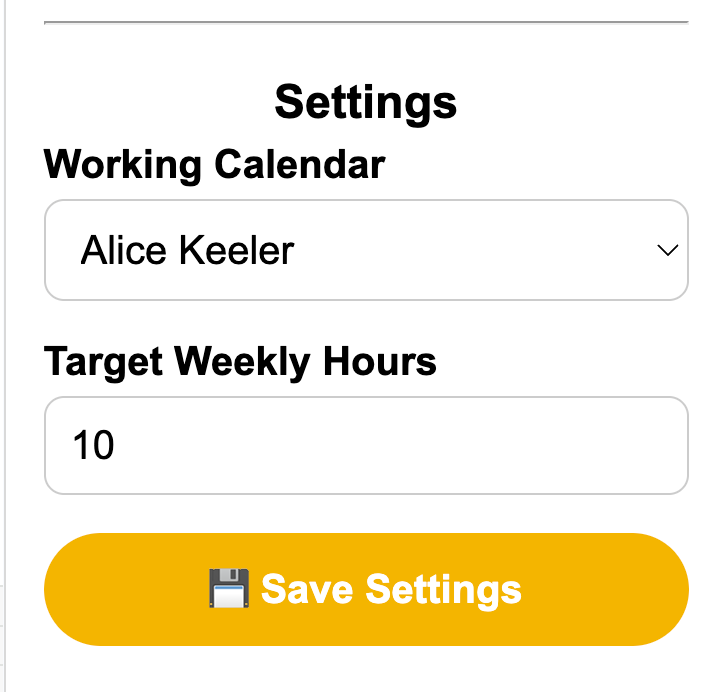
At the bottom of the sidebar are the settings to select, and save, your working calendar. You can also set your target number of hours you want to spend each week so you can see if you’re on track.
Leave Spreadsheet Open in a Tab
24/7 I have a spreadsheet open in a tab so I can track my time. Before I start a task, I go to the spreadsheet tab and I have the AliceTasks sidebar open to show Hours Tracking.
I can press a button to add #working to my saved calendar. This will quickly put 15 minutes onto the calendar so I can start working. When I’m done with the task, or when I grab my phone to play a game, I edit Google Calendar to change the end time and put in the description what I did during that time.
Multiple times a day I press the Hours Report button also in the AliceTasks sidebar. How am I do? Am I playing more games on my phone than I’m working? Some days are like that.