

The answer is always a spreadsheet
If you are not using Google Sheets spreadsheets I encourage you to start using them. Where do you start? JUST USE THEM! What can you not put in a spreadsheet? It is a big table. Who doesn't need things organized in a table???
Go to Google Drive and create a Google Sheets spreadsheet or use sheets.new. If you go to sheets.google.com this IS GOOGLE DRIVE but filtered for spreadsheets.
Type Words
Don't be scared of spreadsheets. You can type words in it!!
Tabs
Spreadsheets are awesome for so many reasons! One is you can make multiple pages so you do not have too much on one page. Notice in my sample spreadsheet I have a 2nd tab called "More stuff here.
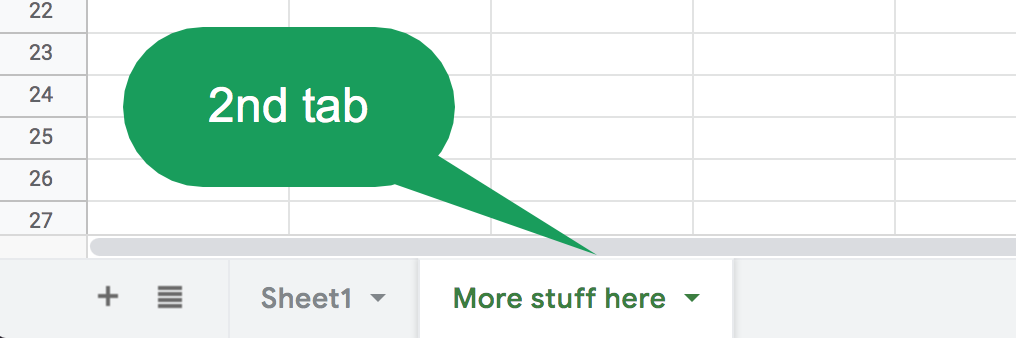
You can create your own tab by clicking on the plus icon in the bottom left. TRY IT! ADD A SHEET. (The new sheet has a tab. So you might say "Click on the 2nd tab or click on the 2nd sheet. These mean the same thing).
Wider Columns
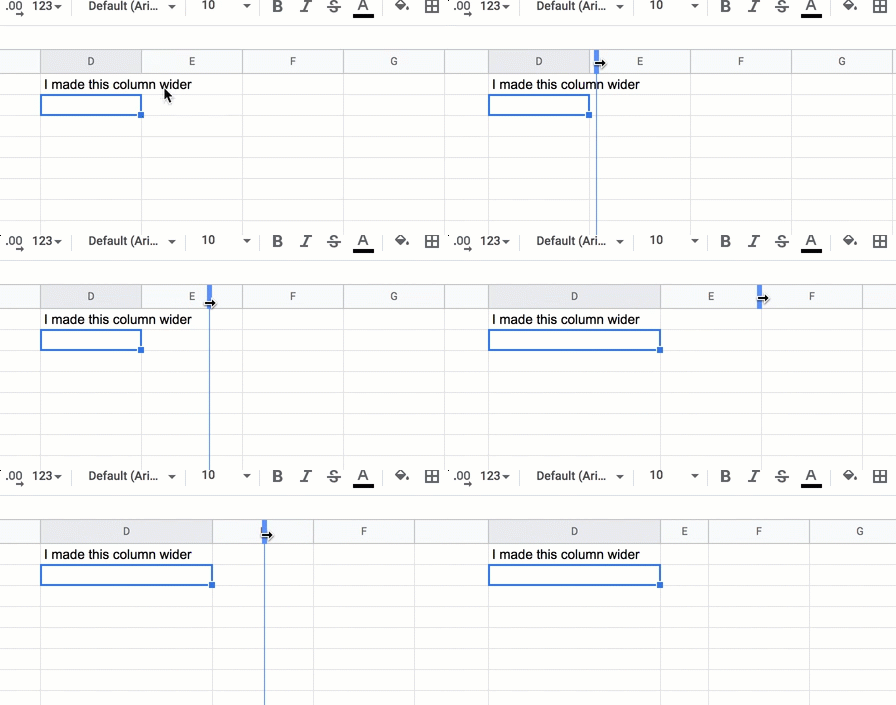
You need more room for your words. NO PROBLEM. Make the column WIDER.
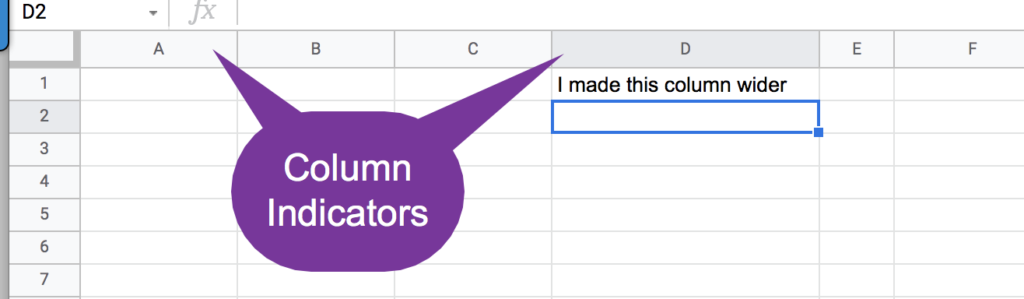
Column Indicators
At the very top of the grid are letters. These are the column letters. We refer to rows by number and columns by letter. Get your mouse in between two of the column indicators. Notice in my animation I hovered my mouse between the letter D and E. The mouse changes to an arrow to allow me to drag the width of the column. I can make it wider or skinnier.
Word Wrap
Text in a spreadsheet goes to the RIGHT. Unless there is text in another cell that blocks it from spilling over into the next cells.
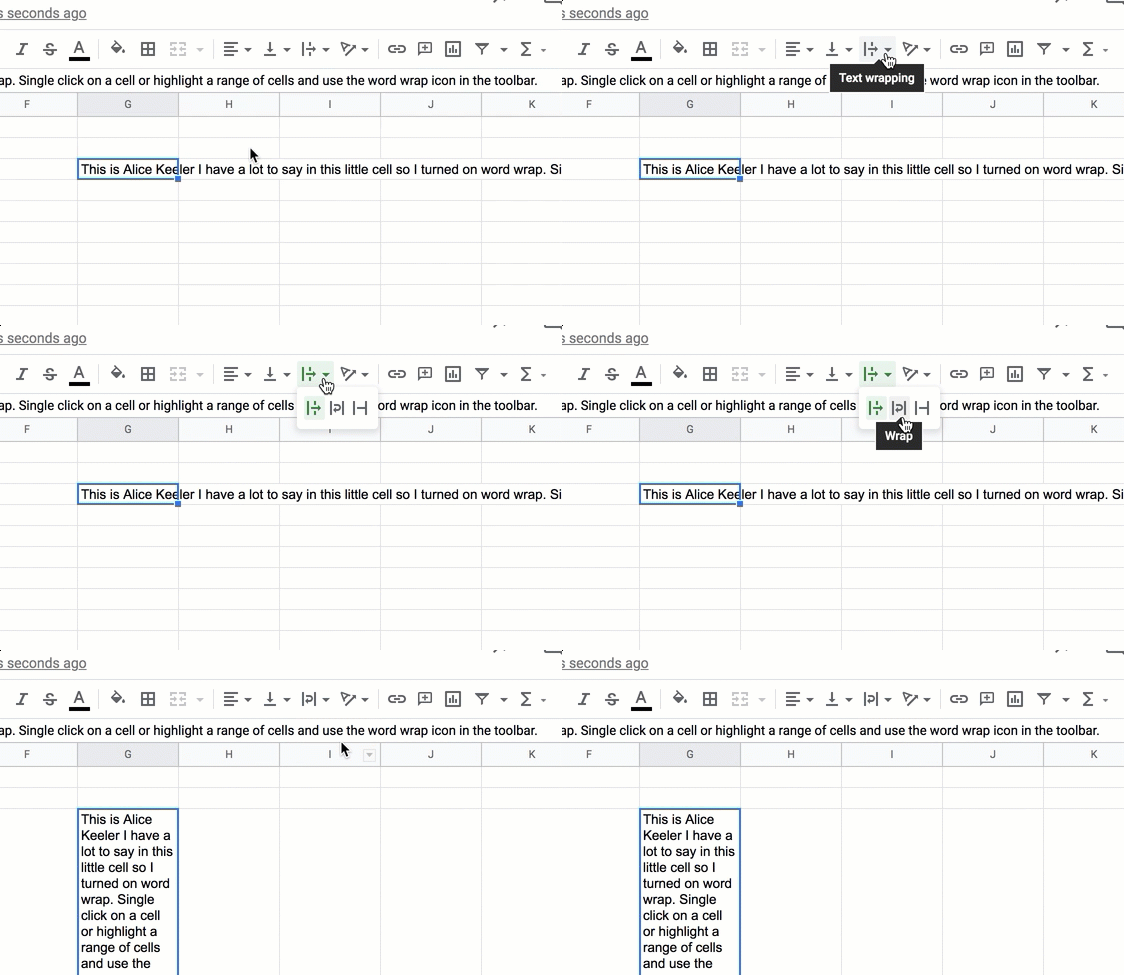
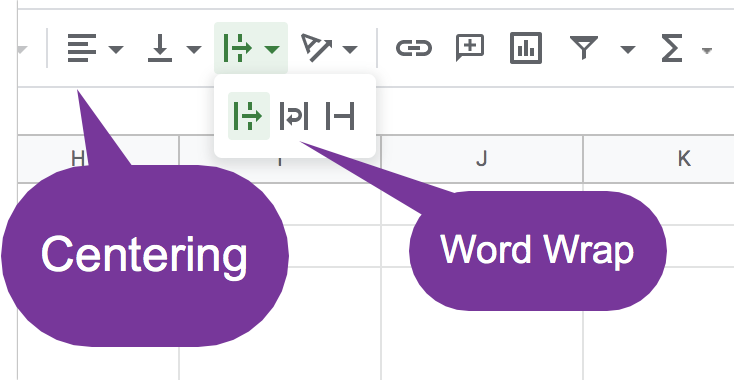
Look for the centering icon!
In the toolbar look for the centering icon (we know that one from Google Docs and Word.) To the right of that is the VERTICAL centering (which I use a lot). To the right of that is the WORD WRAP icon! Click on the tiny arrow to reveal 3 options for your text. Default... spills over to the next cells. Middle option is word wrap. CHOOSE THIS! The 3rd option truncates your text to keep it in the cell. I use this a lot when I paste long website URL's.

That is all for now. Just a quick couple of things to get you started. WHY NOT TYPE IN A SPREADSHEET instead of a Google Doc? The more you use it the less intimidating spreadsheets will be. MORE LATER!