
This is so helpful! If you use Google Classroom, you might not need this. This will create a copy PER GROUP or PER STUDENT and automatically set the permissions as "Anyone with the link can EDIT." I have been using this with presentations I am giving so people can use templates I make without having to sign in.
Keep reusing this same spreadsheet forever!
Make a copy of the Add-on. You do NOT need to make a new spreadsheet each time you want to use the Add-on (you may want to).
Share a Copy of a Template
You have a Google Jamboard, Slides, Docs, Sheets...
You have a file in Google Drive! You want to make a copy of this file per group or per person.
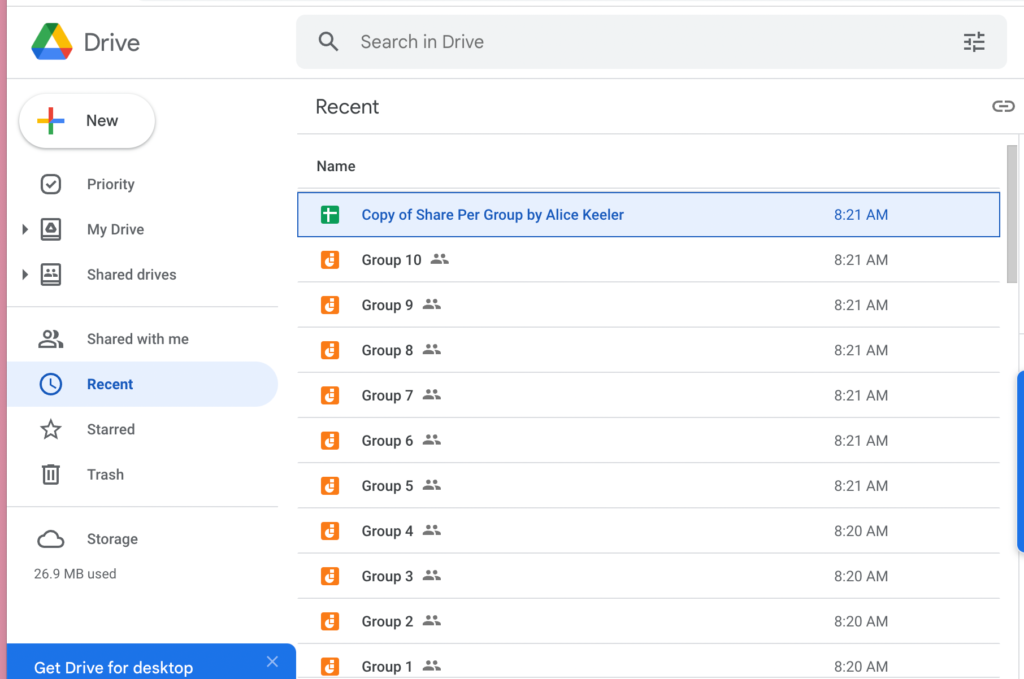
You will need the ID of the file
Please note that the file ID is NOT the whole url.
For example: Here is a Google Jamboard link
https://jamboard.google.com/d/1Aog0bh8cN-w80AZGnFePb7OXMJ0AWZaAyEbTV8nRn4I/viewer
But you do NOT want the whole link. You only want the ID which is between the slashes.
1Aog0bh8cN-w80AZGnFePb7OXMJ0AWZaAyEbTV8nRn4I is the ID
Use the Spreadsheet
Add a sheet to the spreadsheet and in column A (starting in row 2) put the names or group names.
Click on a Column
You can use the same sheet for the same group of students or groups over and over. You just want to click on a column that this blank. The Add-on will create a copy of the file for each group and put the link into the spreadsheet for that column.
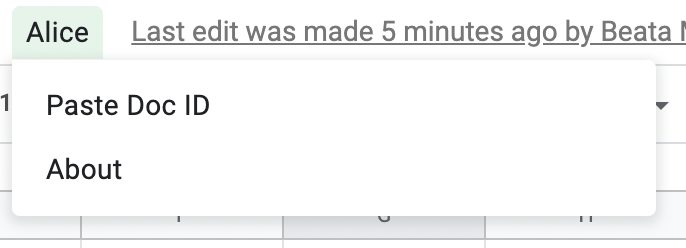
Use the Add-on Menu
This is an UNOFFICIAL Add-on so you'll get a scary authentication screen when you try to use the template. IT IS SAFE! You are only authorizing yourself access to the Google Drive.
The Add-on will prompt you for the file ID. Paste this.
Share the Spreadsheet
One technique I do is use VIEW ONLY access to the spreadsheet so the students/groups can find their document they are going to work on. They click on the link and have access to the file. Super helpful.