
TemplateTab might be my favorite!! It copies a graphic organizer, per student on your roster. There is a members only feature that allows you to export each tab to it's own spreadsheet. HINT: You can do this with ANY spreadsheet.
Member Only Feature
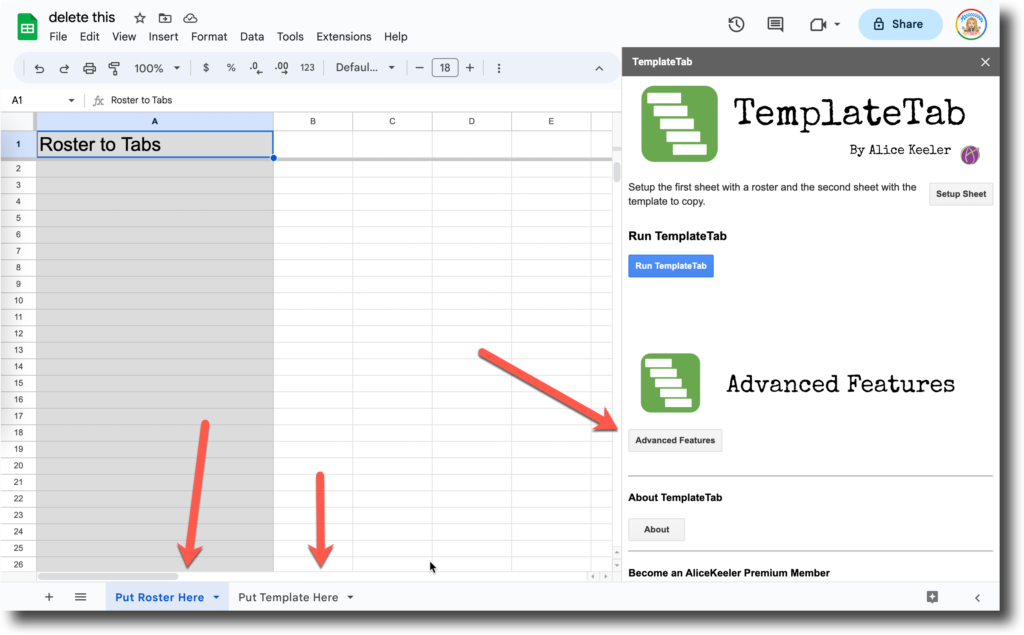
In a spreadsheet that has multiple tabs, go to the Extensions menu and choose TemplateTab.
Show the sidebar.
Go to Advanced Features
Scroll to the bottom.
Choose "Export Tabs."
A list, with live hyperlinks, is created in the spreadsheet. You can also find the new spreadsheets in Google Drive.
What is TemplateTab
- Start a new spreadsheet
- Use the Extensions menu and choose "Setup" for TemplateTab Add-on
- First sheet is your roster
- Second sheet is a graphic organizer
- Run TemplateTab from Extensions menu
- This will duplicate the graphic organizer for each student on the roster
- Share the spreadsheet with your class with edit access.