
Do you have a need to have students or teachers add the current time to a spreadsheet? Perhaps for a bathroom checkout or other reason? I have created a template for you that when you click on the clock picture on the spreadsheet it adds the current date to the current cell.
Design your template however you want!!
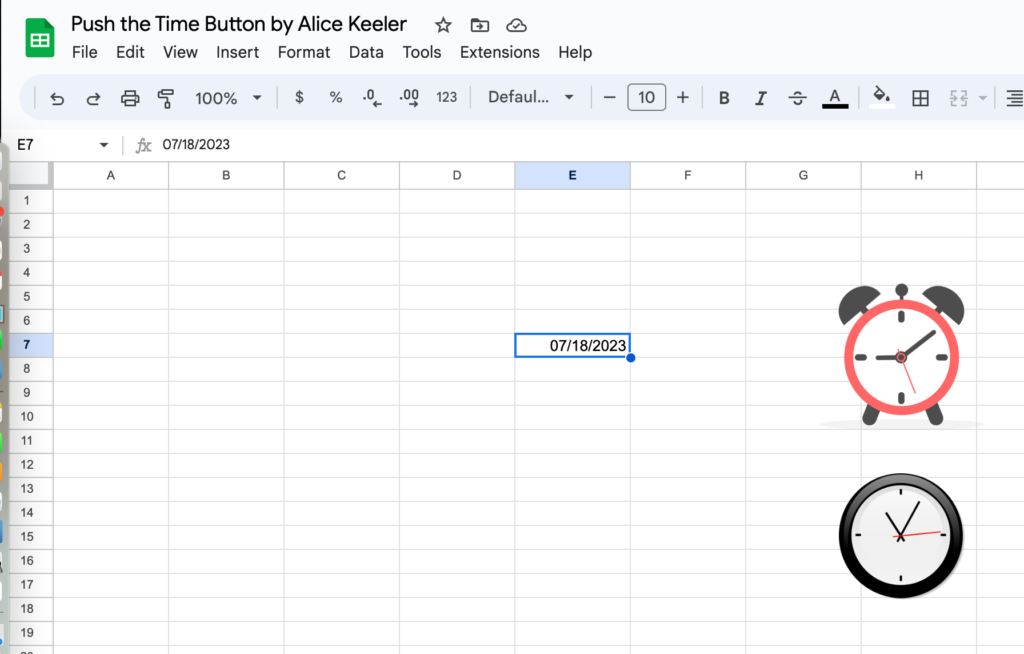
The purpose of this spreadsheet is to make it easy to insert the date into any cell. If you use =now() the date and time changes. There is a keyboard shortcut to do this, but you have to remember it.
Create Any Template
After making a copy of the spreadsheet design any template that suits your needs. The idea of this Add-on is that you need to insert the date as part of your template.
Click the Clock
There are 2 clocks. The first one inserts the date into the active cell. The second one inserts the date and time.
Move the Clock
If you click on the clock it will run the script and insert a date. If you want to move the clock you will want to RIGHT CLICK so you can get the move hand.