
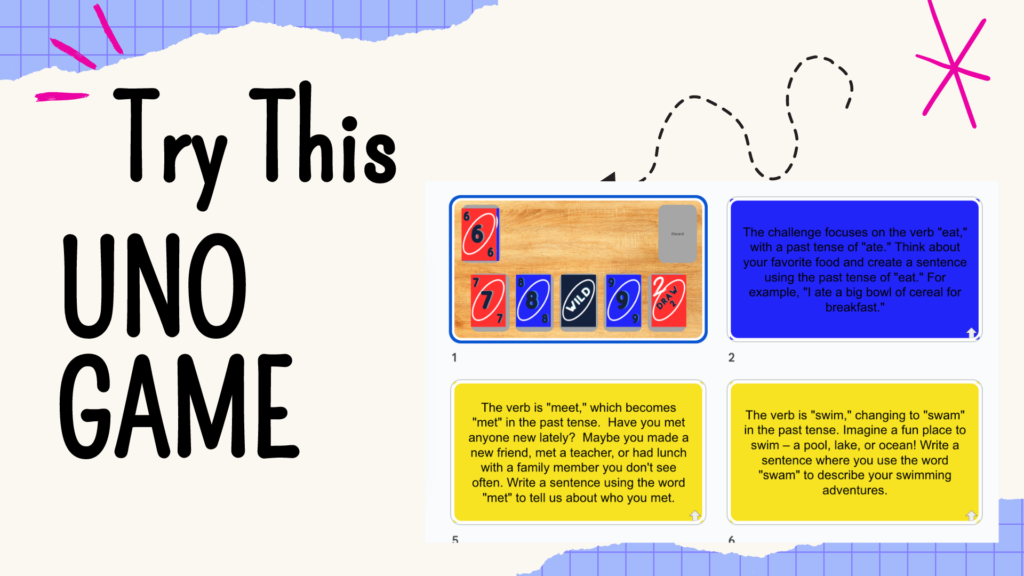
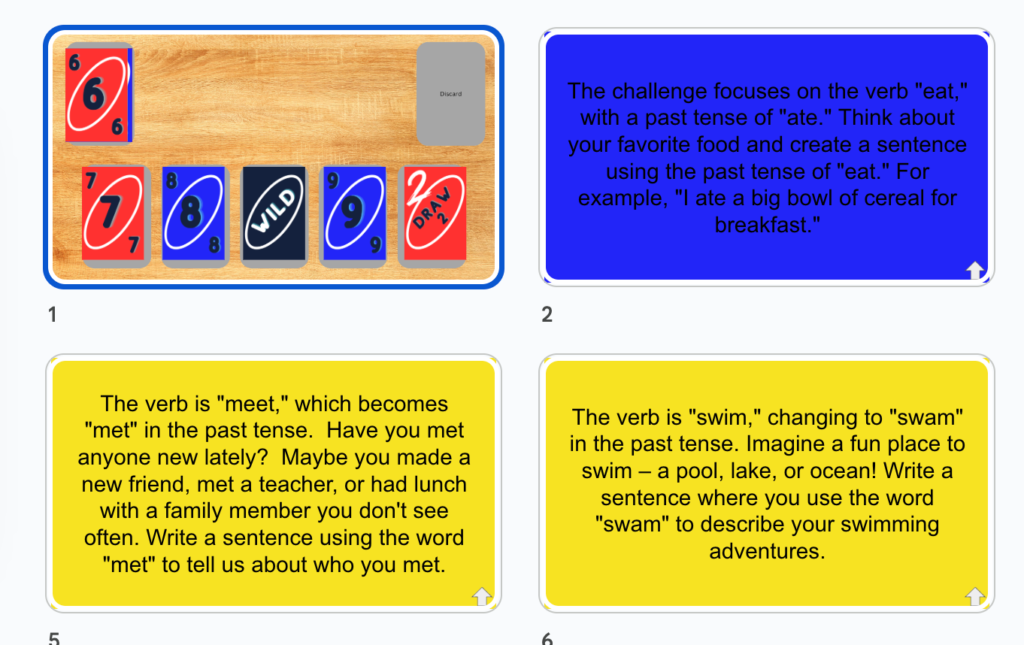
As part of the Gamified Warm-Ups Workshop I created a Google Slides version of UNO for you to check out. As with many gamified activites for the classroom, it is something like “Jeopardy” where students use game elements to answer a worksheet question. By request I created a sample game for Irregular Verbs. Make a copy and try out the Uno Game.

This is an unofficial Add-on so you will need to authorize the add-on. It will be a scary screen where you’ll have to click on “Advanced” and “Unsafe.” It’s just Google covering their booty to tell you that it is not an official part of the Google Marketplace.
Hide the Filmstrip
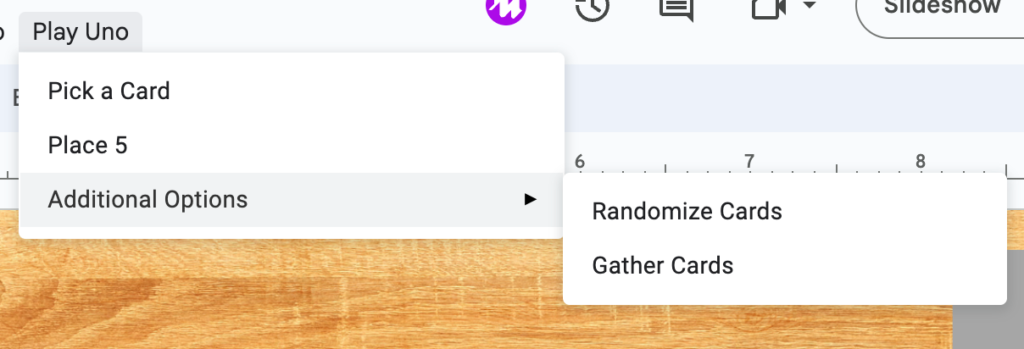
In the view menu deselect “Show filmstrip” so that when you play the students can not see the questions on the left. Use the “Play Uno” menu at the top to “Place 5.” This will shuffle the deck and lay 5 cards out on the slide. Click on one of the cards and you will see it is linked to an irregular verb question slide.
For game play you may want to print out the uno cards and hand them out some to the students. Choose an order to call on students and as you go around, they can match their card to one of the 5 on the screen.
How I Made the Question Slides
I of course used AI. My prompt:
I have created a gamified game for the classroom that is uno themed. I have 55 cards in the uno deck and when i randomly pick one it is linked to a question on google slides. I need questions or tasks for the students to do that are only one paragraph to fit on the slide. Please create unique slides with questions on the topic: UNO PAST TENSE IRREGULAR VERBS
I had to prompt for “Make more slides with only one paragraph per slide” multiple times.
I pasted all the responses into a Google Sheets spreadsheet. Of course I had to clean up the responses by first sorting alphabetically so I could delete all the “Slide 1, Slide 2” lines that the AI generated. Then I sorted the list randomly (highlight and select “randomize range”).
I Coded It
Then I wrote a short script to put all the questions into the Google Slides.
Go to the Extensions menu and select “Apps Script.” You can see the code there.
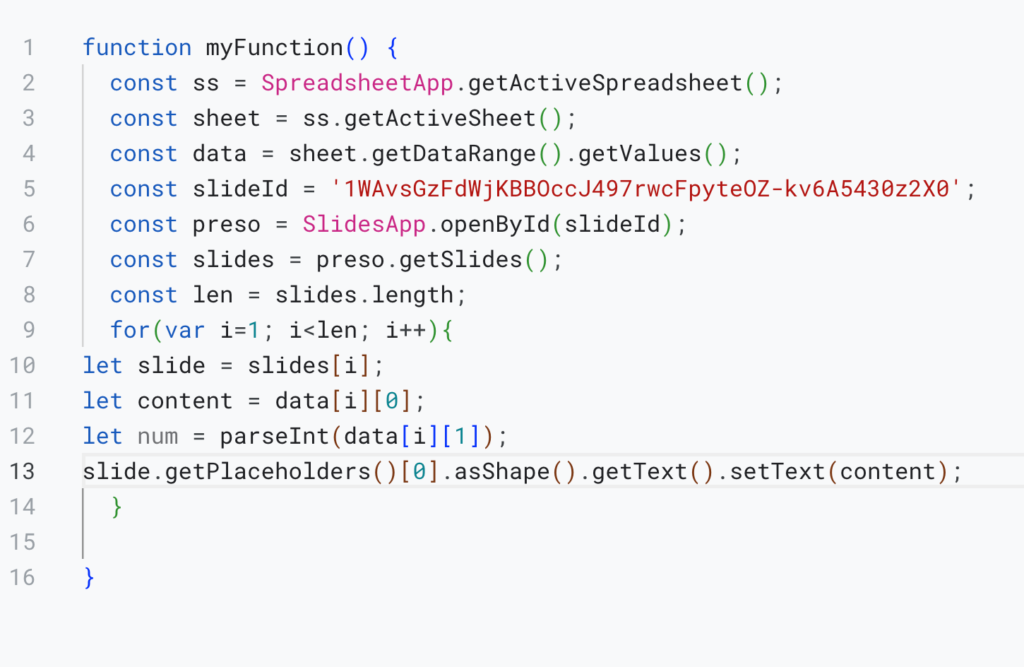
Make a copy of the Google Slides template for Uno. You will need the Google Slides ID. That is the funky string of numbers and symbols that is part of the URL.
Replace the slideId in the code with YOUR slide id. Make sure it is within ‘single quotes’.
Delete the questions in rows 2 to 60 about irregular verbs and replace them with your activity questions.
In the Apps Script editor, save and run your code to send what is in rows 2 to 60 to slides 2 to 60.