Want to make folders fast? Want those folders as a sub folder of a folder? I got you! This UNOFFICIAL (and collects NO user data) Add-on will do this for you in seconds!
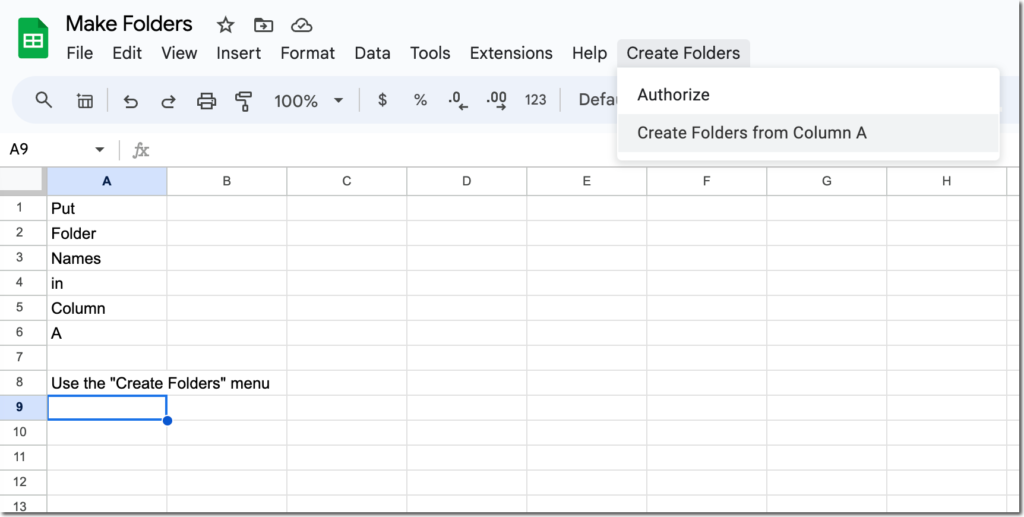
On any sheet, paste or type the folder names into column A. (Blanks will be skipped)
Use the “Create Folders” menu (after authorizing).
Go to Google Drive and find a folder with the same name as your spreadsheet. Inside the folder is a sub folder for each item in column A.
Reuse the Same Spreadsheet
This unofficial premium Add-on works on the active sheet. So make a copy one time and save it in your Google Drive. Anytime you need to make multiple folders, add a sheet and use again!