Add a Folder of Images to Slides
A member asked how to easily add a bunch of screenshots to an individual Google Slides. My first recommendation is to install Photos to Slides
Play Tic Tac Toe with Your Students
Playsheets make learning more fun. Easily turn your questions or vocabulary list into a Bingo Game or, exculsive for members, a Tic Tac Toe game.
Workshop: NotebookLM
Start Workshop Go Slow Workshops are asynchronous and delivered through email. Please do NOT share the link or emails with others. This material is a
Time Blindness – Track Your Hours
Track your hours you spend on tasks with hidden features in AliceTasks Add-on for Google Sheets.
Clean Up Your Google Drive Add-on
Use this Hot Mess unofficial Add-on to clean up your Google Drive.

Generating Unique ID Numbers
In a one on one session we brainstormed assigning your feedback a feedback ID. That students MUST respond to. For feedback to be effective, it
Webinar: Create a Big Answer Box in Google Sheets
Think Google Sheets is too limiting?! One way to free up sheets is to create LARGER BOXES! The answer is still always a spreadsheet! Spreadsheets
Unofficial Add-on: Tasks List
Use this unofficial Tasks List Add-on to help you be more organized.
Create a Google Forms Get to Know You
New to Google Forms? Here is how to make a get to know you survey
Office Hours 2024-12-07
Sharing in Google Slides. Recommendations for Google Drawings in art.
Add-on Response to Check-in
Get a Copy of the Check In Form I have updated the unofficial Add-on for Check In Form. I hope you like the additional ways

Webinar: Intro to Google Vids
vids.google.com Google Vids is the newest product from Google Workspace. CREATE videos as easily as you make Google Slides. In this webinar I help you
Push Student Responses to Your Slides
Install Audience Participator Audience Participator Add-on connects “any” Google Slides to a Google Form. Students fill out the Form and their answers become your slides!
Webinar: Google Slides Add-ons with Alice Keeler
The recording from the live session. These are not formal webinars, they are intended to be interactive and allow you to ask questions. We went
Add-on Make Folders in Google Drive for Students
Copy Add-on This unofficial add-on is for Google Sheets. It will create a folder for each student on your roster. Put a list of your students
Add-on Slides to Spanish+
This is for YOU dear members!! At office hours a member requested an easier way to convert Google Slides to other languages. SO I MADE
Getting Started with Google Apps Script
YOU CAN CODE Google Apps Script!! I have done many coding with Google Apps Script webinars, I have created a random grid below (refresh the
Google Classroom Feedback Loops
Feedback loops are very effective for student learning!! But they can be difficult to implement. One of my favorite ways to help EVERY student take

Advice: Using the Canvas LMS
I do not use Canvas. My friend Marcia has been my Canvas expert. You can email her at marcia@alicekeeler.com if you have some pedagogy questions
Advice: Digital Citizenship
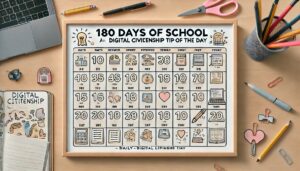
In the weekly sign in I was asked about digital citizenship. There are SO MANY SCAMS! It is important to, even starting with kindergarteners, share

Advice: Google and AI
From the weekly sign in, I had a request for some tips about Google and AI (artificial intelligence). I add my specific prompts to make
Webinar: Basics of FigJam
figjam.new FigJam is your replacement for Google Jamboard. A collaborative digital whiteboard. This webinar is the basics to get started with FigJam! https://youtu.be/l09bWlpTFGg Sample FigJam
Webinar: AI Diffit – It’s Easy!
alicekeeler.com/diffit Diffit is a AI tool that helps teachers create resources for their students. It allows teachers to search for a topic, theme, or question
Webinar: Using AI for Rubrics
AI is trained on the dumpster dive of the Internet. Look up rubrics on Google Images and it’s a disaster. While out of the box
FREE: Copy My Folder Pro
Free premium add-on to copy a folder from one account to another account.
Workshop: 6 Ways to Teach with Google Slides
This 6 week Go Slow workshop helps you to practice some new techniques!
Webinar: Canva Tips & Selfie Sticker
Recorded webinar of Alice Keeler sharing Canva tips including how to turn your selfie into a stickcer.

5 Things to Try with ChatGPT
Get started using ChatGPT this summer by doing these 5 things to align your free (or paid) account to your teaching pedagogy.
Grading by Survey
Grading practices are not perfect. In this webinar Alice Keeler shares how she surveys her students to determine final grades.
Spreadsheets for Teachers
Even if you are not new to spreadsheets, this webinar has some cool tricks and applications you might find useful!
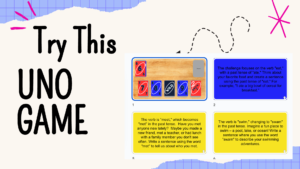
Gamified Uno Sample
Try this Uno Warm-Up Sample and learn some tricks to speed up making your own!!
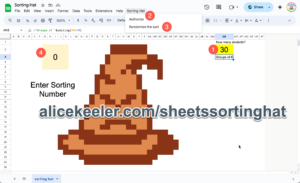
Template: Sheets Sorting Hat (Harry Potter
Use this Google Sheets template to have a fun Hogwarts sorting activity with your students.
Workshop: Gamified Warm-Ups
Go Slow workshop of 14 weeks of a gamified template each week along with directions for how to create that type of template.
Create a Fun Bingo Activity
This fun Bingo Activity can be created for ANY subject. Get started with something fun.
Webinar: Setting a Password on Google Forms
Hack your Google Form to have a password that students need in order to fill out the Form.
Digital Worksheet or Gamification…
I made a coordinate plane Battleship refresher game in @quizizz. First of all, I thought, not everyone has played, so this game will help “teach”
Office Hours with Alice! Ask Alice Anything??
Join Alice for “Office Hours”! What does that mean? Join using the Google Meet link located on the calendar and the weekly newsletter. Ask Alice


Push the Time Template
Add-on template to make it easy to insert the current date into your spreadsheet template.
Updated TemplateTab
Member exclusive feature!! Turn each tab of a spreadsheet into a NEW spreadsheet!!
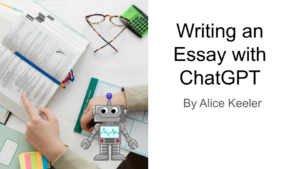
Webinar: Writing an Essay with ChatGPT
If you assign students to do a writing assignment at home, they probably are going to use Generative AI (ChatGPT) to complete it. In this